By Shaheer Malik · · 8 min read
How to Make a Product Reel That Cuts on the Beat
To cut a product reel on the beat, find the song's tempo in beats per minute, divide 60 by it to get the seconds per beat (0.5 s at 120 BPM), and change to the next screen every beat, every two beats, every bar of four beats or every two bars, starting on the first beat of a bar. Choose the pace from how much each screen needs to be read: every bar (2 s at 120 BPM) suits screens with text. Use music you have the rights to; Instagram says its licensed library is for personal, non-commercial use, while Meta's Sound Collection is royalty-free and allowed for commercial posts.
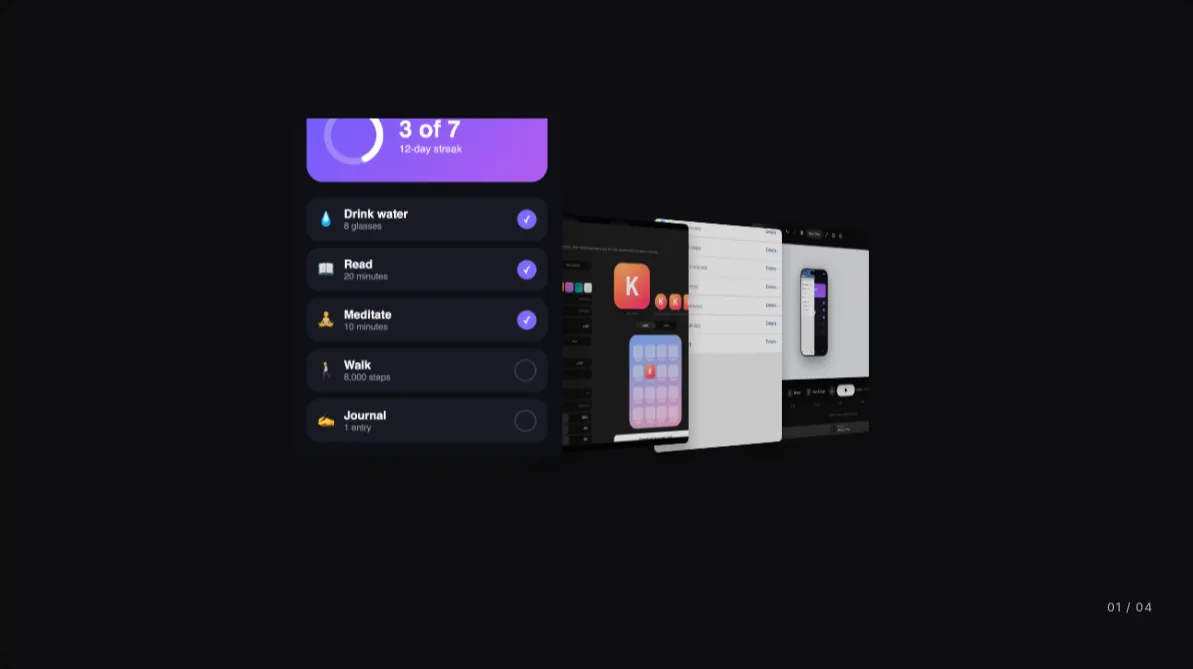
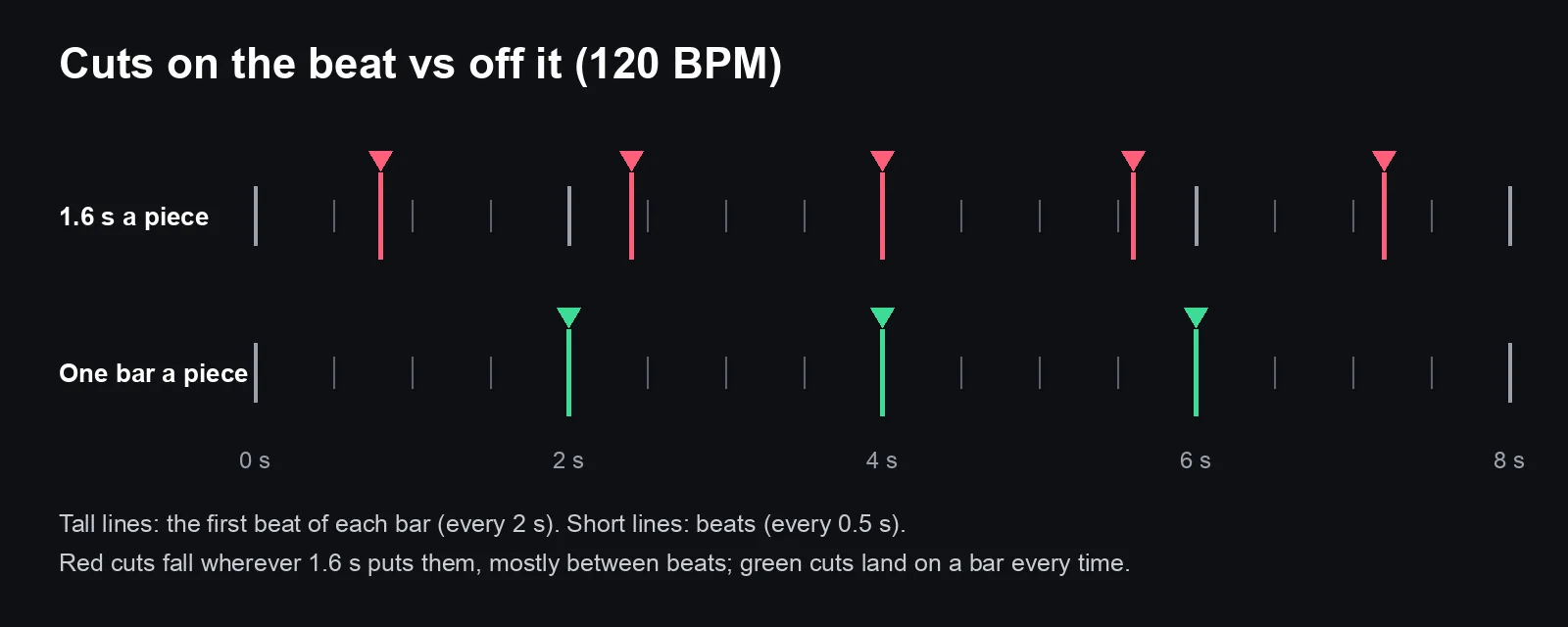
Put the same five screenshots in a reel twice: once changing every 1.6 seconds, once changing on every bar of the music. The second one feels edited and the first one feels like a slideshow, even though they're nearly the same length and show the same screens.
That's the whole trick of cutting on the beat. People feel the rhythm of a song without counting it, so a cut that lands on a beat feels intended and a cut that lands just before one feels like a mistake.
This guide covers the maths (it's one division), how to choose the pace, where to get music you're allowed to use, and how to fit a reel to a song automatically.
A disclosure: I make 240fps, and I use its Reels mode for the example. The song in the screenshots is a drum loop I generated at exactly 120 BPM for testing, and the app screens are examples made for these guides.
Why do cuts on the beat feel better?
Music sets up an expectation. Every few hundred milliseconds there's a beat, and every four beats there's a stronger one, the downbeat that starts a bar. When a cut lands on one of those moments, picture and sound agree, and the video feels deliberate. When it lands between them, they disagree, and viewers sense something is off even if they can't say what.
Product reels are short and repetitive by nature: screen, screen, screen, logo. The music is what makes that rhythm feel like a story instead of a list. Cutting on the beat is the cheapest way to make a reel look professionally edited.
How do I turn BPM into seconds?
One division: seconds per beat = 60 ÷ BPM. Most pop and electronic music is in 4/4 time, so a bar is four beats.
| Tempo | One beat | Two beats | One bar (4 beats) | Two bars |
|---|---|---|---|---|
| 90 BPM | 0.667 s | 1.33 s | 2.67 s | 5.33 s |
| 100 BPM | 0.6 s | 1.2 s | 2.4 s | 4.8 s |
| 110 BPM | 0.545 s | 1.09 s | 2.18 s | 4.36 s |
| 120 BPM | 0.5 s | 1 s | 2 s | 4 s |
| 128 BPM | 0.469 s | 0.94 s | 1.88 s | 3.75 s |
| 140 BPM | 0.429 s | 0.86 s | 1.71 s | 3.43 s |
If you don't know a song's tempo, tap along to it with any tap-tempo tool, or let your editor detect it. Detection works best on music with a steady drum beat; ambient tracks, piano pieces and songs that speed up don't have a grid to cut to, and that's fine. Cut those on phrases instead.
How often should I cut?
Fast cuts feel energetic, but every screen still has to be readable. A useful rule is to pick the slowest pace your content needs:
| Pace | At 120 BPM | Good for |
|---|---|---|
| Every beat | 0.5 s | Logos, photos, a burst of screens to show "there's a lot here" |
| Every 2 beats | 1 s | Screens people only need to glimpse |
| Every bar | 2 s | App screens with a headline or a few words: the safe default |
| Every 2 bars | 4 s | A hero screen, a screen with real text, a slower song |
Two refinements make a big difference:
- Start on a downbeat. The first screen should arrive on the first beat of a bar, not wherever the song happens to be when the video starts. Trim the start of the song so a downbeat lines up with your first cut.
- Hold the important screen longer. If one screen is the reason for the reel, give it two bars while the rest get one. It still lands on the beat, because two bars is a whole number of beats.
Where can I get music I'm allowed to use?
This matters more for a product reel than a personal one, because a product reel is commercial.
Instagram is explicit about its own library. Its help page, Access to the licensed music library on Instagram, says the music in the library "is intended for personal, non-commercial use", and that certain business accounts and certain types of posts don't have access to it. The same page points to Meta's Sound Collection, which it describes as "over 14,000 songs and sounds which are entirely royalty free and safe to use in Reels and Instagram Stories", and says can be used for commercial purposes such as ads.
So for a reel that promotes your product, your safe options are:
- Royalty-free libraries inside the platform, like Meta's Sound Collection, when you post there.
- Music you license from a stock music service, under a licence that covers commercial social video. Read the licence; "royalty-free" isn't the same as "free for any use".
- Music you make or commission yourself.
If you add the music in your editor (so it's baked into the exported file) rather than in the app, the licence has to cover every place you post that file.
How do I fit a reel to the beat automatically?
Doing the maths by hand works, but it's fiddly to keep in sync when you change the song or the number of screens. In 240fps's Reels mode, the editor does it for you.
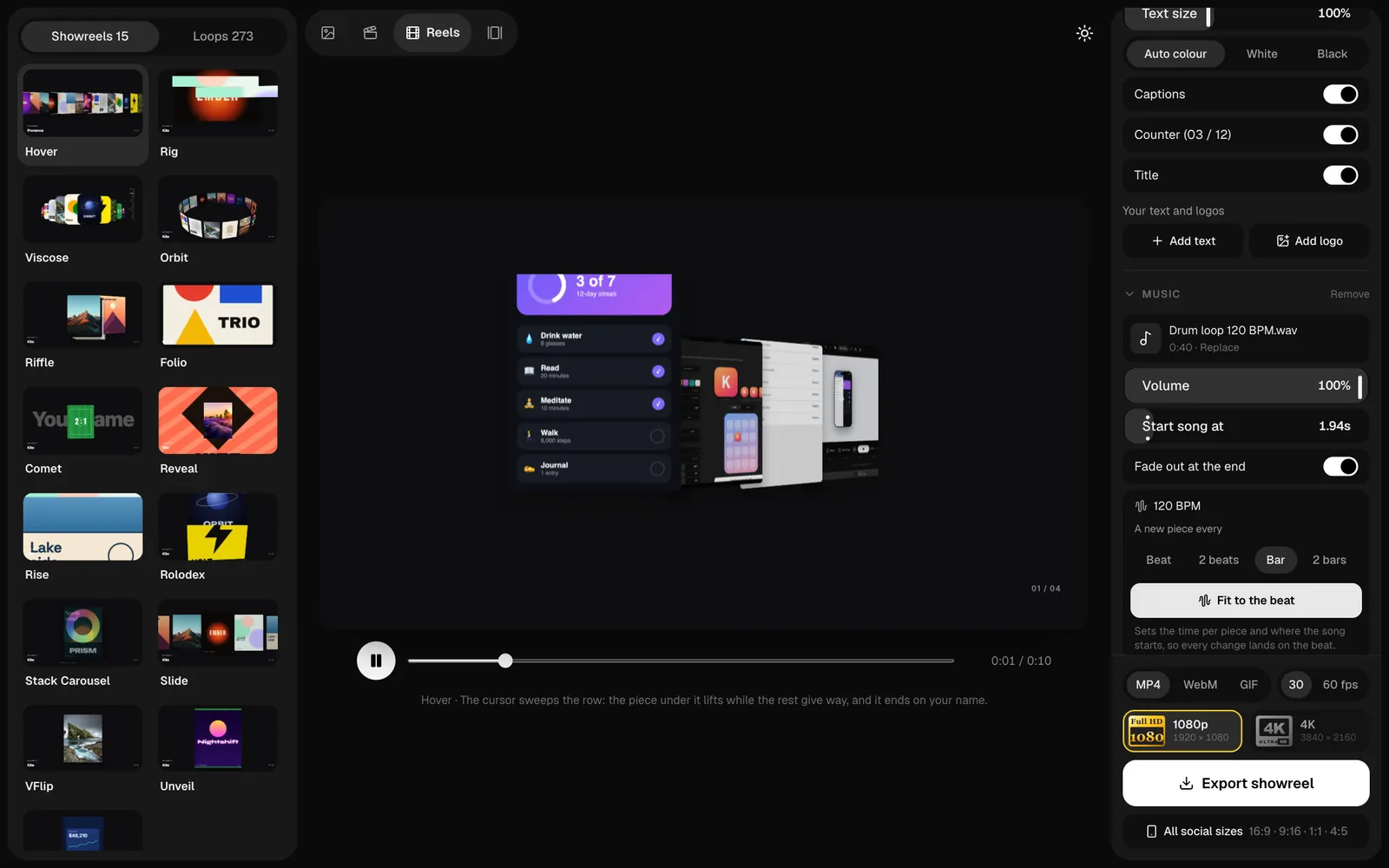
- Pick a showreel and add your work. Reels has 15 showreels (which play through your pieces one after another) and 273 loops. Drop in your screenshots, videos or recordings.
- Add music. In the Music section, choose an MP3, M4A, WAV or OGG file. The editor finds the beat in your browser and shows the tempo; my test loop read as exactly 120 BPM.
- Choose the pace. "A new piece every" Beat, 2 beats, Bar or 2 bars.
- Fit to the beat. It sets the time per piece and where the song starts, so the first piece arrives on a downbeat and every change after that lands on the beat. With my loop and "Bar", it set 2 seconds a piece and started the song at 1.94 s.
- Fine-tune. Give your hero piece 2× or 3× under "Time on screen, per piece"; whole multiples keep it on the beat. Set the volume, and leave "Fade out at the end" on so the music doesn't stop mid-bar.
- Export. MP4 and WebM include the music (GIFs can't carry sound). All social sizes renders 16:9, 9:16, 1:1 and 4:5 in one go, with the same soundtrack.
For loops (short animations that repeat seamlessly), Fit to the beat works the other way round: it adjusts the loop's speed so one pass lasts a whole number of bars, starting on a downbeat. Then "Plays" repeats it, so a four-second loop can run for the length of a song and still restart on the beat each time.
What are the common mistakes?
- Cutting on a fixed time that isn't the beat. 1.5 s or 2.5 s looks tidy on a timeline and sounds wrong. Use whole beats.
- Starting the song at 0:00. Many songs open with silence or a slow intro. Start at a downbeat where the energy is.
- Too fast for the words. If a screen has a headline, it needs about a bar. Speed is not the same as energy.
- Music louder than any voice-over. If you add narration, bring the music down a lot.
- The song ends mid-bar. Fade it out, or trim the reel so it ends on a bar.
- Using a track you don't have the rights to. On a product account, that can mean a muted video or a takedown.
FAQs
How do I find the BPM of a song?
Tap along to it with a tap-tempo tool, check the track's details if it comes from a music library, or let your editor detect it. 240fps detects the tempo when you add a song to a reel.
How many seconds is one beat?
60 divided by the tempo. At 120 BPM, a beat is 0.5 seconds and a bar of four beats is 2 seconds. At 100 BPM, a beat is 0.6 seconds.
How often should a product reel cut?
About every bar (two seconds at 120 BPM) for screens with text, every one or two beats for logos and photos, and every two bars for the most important screen.
Can I use popular songs in a product reel?
Not from Instagram's licensed library for commercial content: Instagram says that library is for personal, non-commercial use. Use a royalty-free source like Meta's Sound Collection, or a track licensed for commercial use.
Does the music stay in the exported video?
In 240fps, yes for MP4 and WebM, which include the soundtrack; GIFs have no sound.
Last updated: 5 October 2026. Instagram's music rules are from "Access to the licensed music library on Instagram" in the Instagram Help Centre, read on 5 October 2026. Feature details describe 240fps as of 5 October 2026.