By Shaheer Malik · · 8 min read
LinkedIn Video Specs for Product Launches (2026)
For a LinkedIn product launch video, export an MP4 in 4:5 (1080 × 1350) or square (1080 × 1080) for the feed, or 16:9 (1920 × 1080) for a wide demo. Organic posts accept any shape from 1:2.4 to 2.4:1, up to 5 GB, and up to 15 minutes from a personal profile or 10 minutes from a Company Page. If you will sponsor it, keep it 15 to 30 seconds, under 500 MB and below 30 fps, and add captions as an SRT file from a desktop computer.
LinkedIn is where a B2B product launch gets seen by the people who buy it, and video is the format that shows the product working. It's also the platform whose video rules are easiest to get slightly wrong: LinkedIn publishes different limits for personal posts, Company Pages and ads, and a file that's fine as a post can be rejected as an ad.
This guide puts all three sets of specs in one table, then covers the choices that matter for a launch: shape, length, captions and export settings.
A disclosure first: I make 240fps, a tool for launch videos and mockups, which I mention once near the end. Every spec here comes from LinkedIn's own help pages, read on 2 October 2026, and every screenshot was taken the same day.
What are LinkedIn's video specs in 2026?
They depend on where the video goes. A post from your profile, a post from a Company Page and a sponsored video ad each have their own page in LinkedIn's help centre:
| Spec | Personal post | Company Page post | Video ad |
|---|---|---|---|
| File size | 75 KB to 5 GB | 75 KB to 5 GB | 75 KB to 500 MB |
| Length | 3 s to 15 min (2 s minimum from the mobile app) | 3 s to 10 min | 3 s to 30 min; 15 to 30 s recommended |
| Shape | 1:2.4 to 2.4:1 | 1:2.4 to 2.4:1 | 16:9, 1:1, 4:5 or 9:16 |
| Resolution | 256 × 144 to 4096 × 2304 | 256 × 144 to 4096 × 2304 | Up to 1920 × 1080 (16:9), 1920 × 1920 (1:1), 1080 × 1350 (4:5), 1080 × 1920 (9:16) |
| Frame rate | 10 to 60 fps | 10 to 60 fps | Less than 30 fps |
| Format | MP4, MOV, WebM and others | MP4, WebM and others | MP4 (H.264 or VP8) |
Sources: Video sharing troubleshooting for personal posts, Video specifications for your LinkedIn Pages for Company Pages, and Video ads advertising specifications for ads.
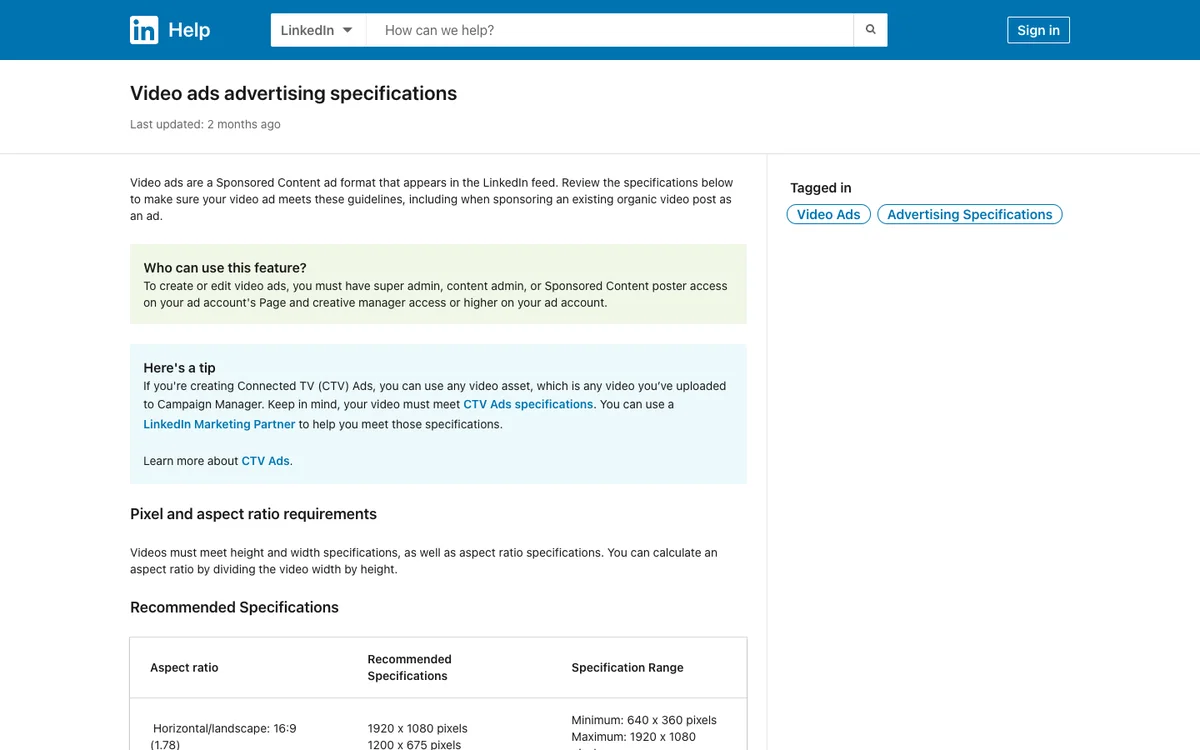
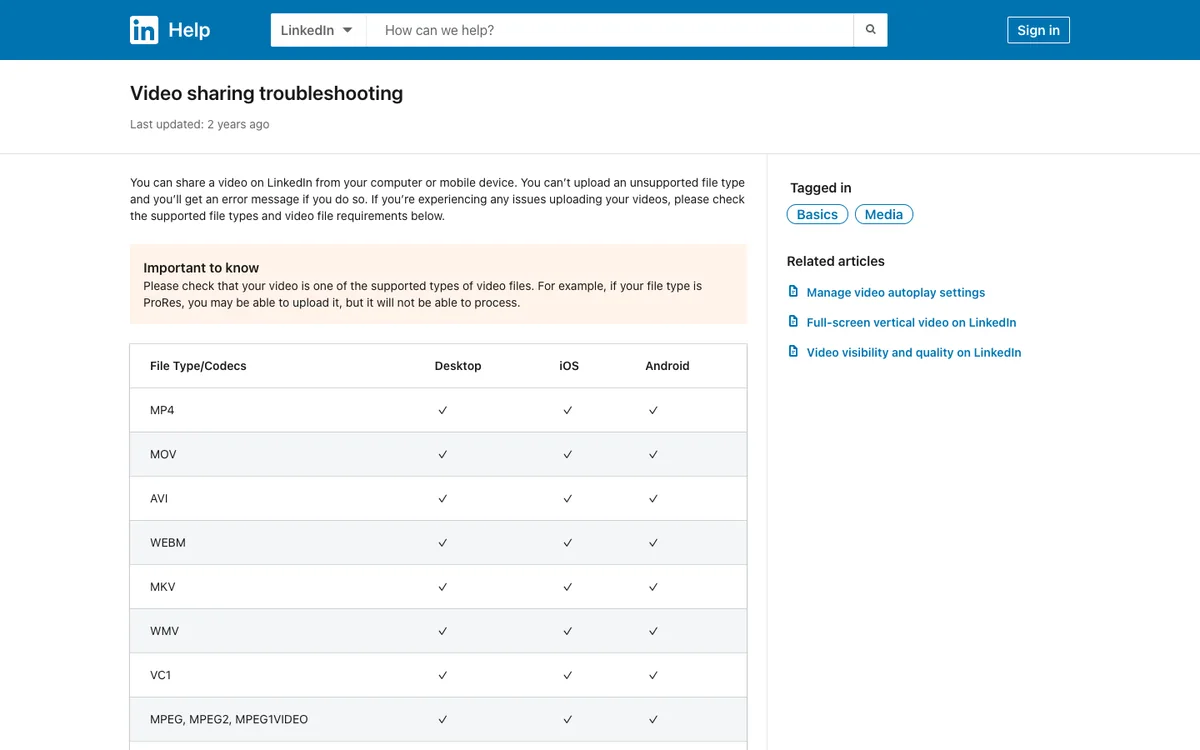
Two details catch people out. The Company Page limit is 10 minutes, not the 15 a personal profile gets. And LinkedIn's troubleshooting page warns that ProRes files may upload but won't process, so export H.264 even if your editor defaults to ProRes.
Which shape should a LinkedIn launch video use?
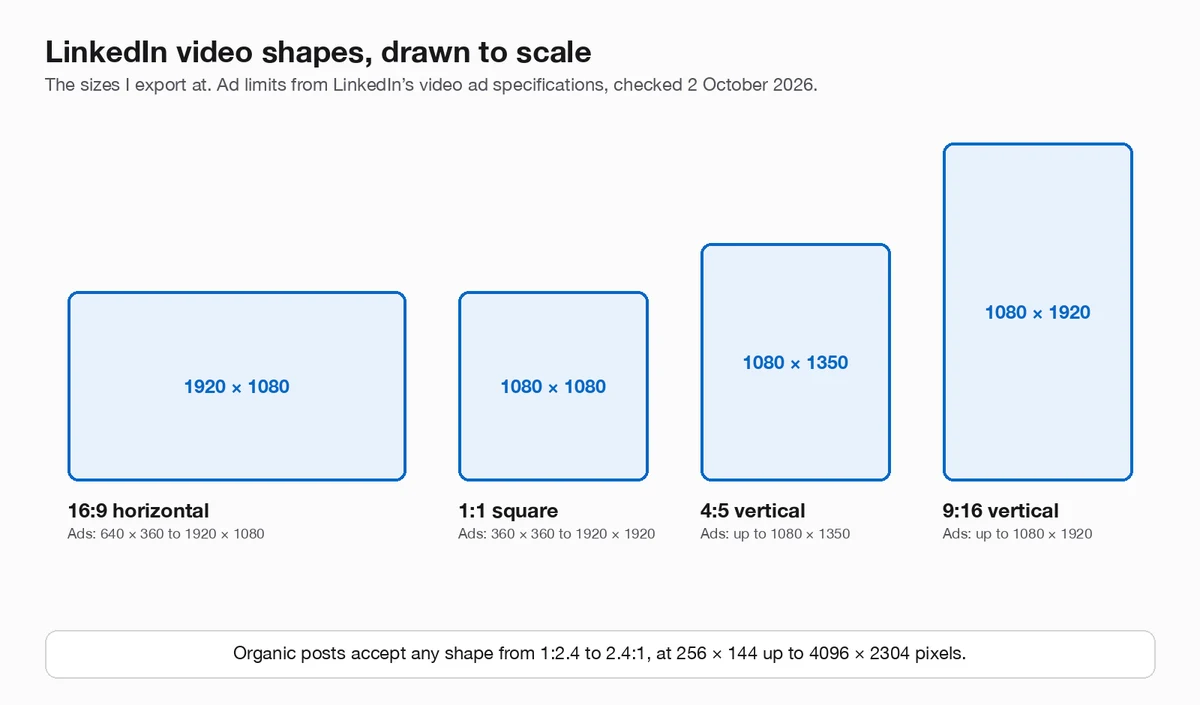
For the feed, use 4:5 (1080 × 1350) or square (1080 × 1080); for a wide product demo, use 16:9 (1920 × 1080). On a phone, a taller video fills more of the screen than a short, wide strip, so the product is bigger and easier to read.
My rule of thumb:
- 4:5 when the video is mainly a phone app, or a close-up of one part of the interface.
- 1:1 when you need room for a headline above a desktop screenshot.
- 16:9 for a full desktop walkthrough people will watch with the sound on, and for the same video on your website or YouTube.
- 9:16 when you're making one vertical video for every platform. LinkedIn accepts it for posts and for ads.
If you'll sponsor the post, stick to the four ad shapes in the chart above, at or below the maximum sizes. Organic posts accept anything between 1:2.4 and 2.4:1.
How long should a LinkedIn launch video be?
For an ad, 15 to 30 seconds: LinkedIn's ad specification recommends that length so the video qualifies for every placement. For an organic launch post, I aim for the same range for the main video, because it has to make its point before people scroll on.
A launch video that works at that length has four beats:
- The problem, in one line of text. Two seconds.
- The product solving it. The single most convincing interaction, shown up close.
- One or two supporting features. Only if they add something new.
- The name and where to get it. On screen long enough to read.
If you have more to show, post the short video first and put a longer walkthrough on your site or YouTube, linked in the post. For the structure in more detail, see how to make an app promo video.
How do I add captions to a LinkedIn video?
Attach an SRT file when you post from a desktop computer. LinkedIn's help article Add Closed Captions to Videos on LinkedIn gives the steps:
- On desktop, click the video icon in the share box on your homepage.
- Click Select video to share and choose your file.
- In the video preview, click Edit in the top right.
- Click Select Caption and attach your SRT file.
- Add your text and click Post.
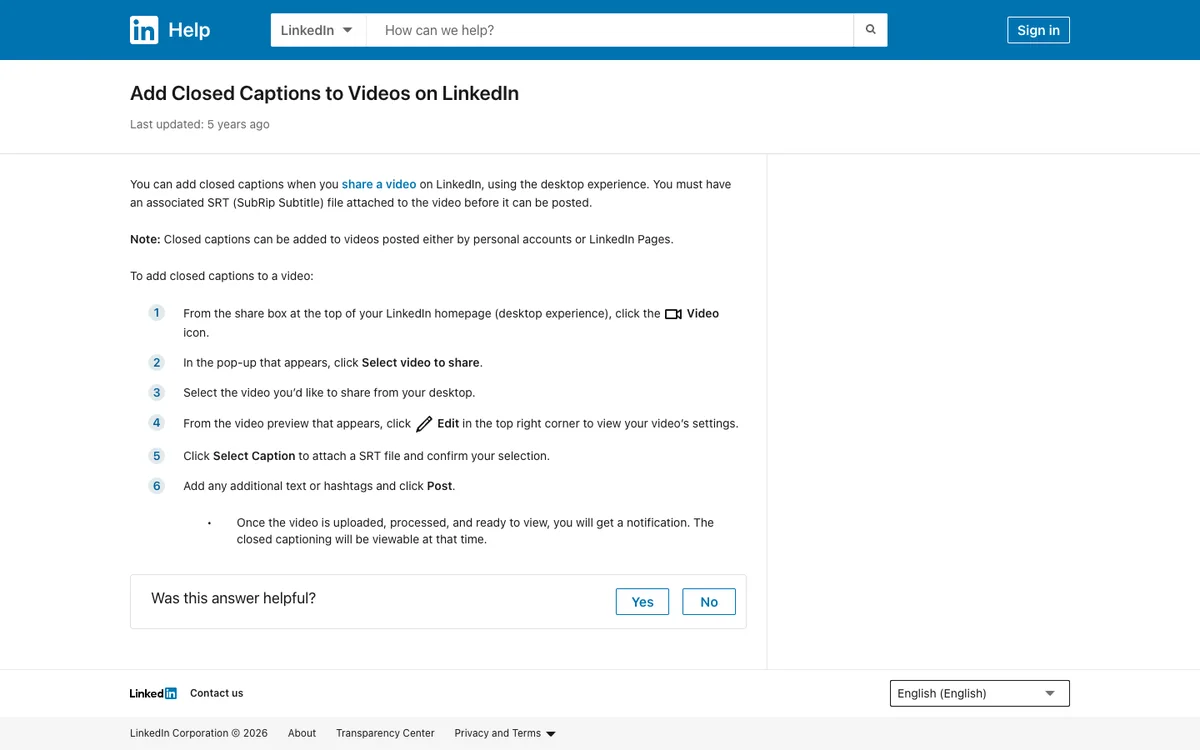
The same article notes that captions work on posts from personal accounts and from LinkedIn Pages. Ads take captions as an SRT file too, according to the ad specification.
Captions let people follow the video without sound. You can also burn short captions into the video itself, which works everywhere the file goes, but keep an SRT for LinkedIn's own captions so viewers can turn them off.
What export settings should I use?
MP4 with H.264 video and AAC audio, at the shape and size from the chart, is accepted everywhere on LinkedIn. Then check three numbers before you upload:
| Setting | For organic posts | If you'll sponsor it |
|---|---|---|
| Frame rate | 10 to 60 fps | Below 30 fps, as the ad spec says; 24 or 25 fps is safe |
| File size | Under 5 GB | Under 500 MB |
| Bit rate | 192 Kbps to 30 Mbps | Not specified on the ad page; staying within the organic range is sensible |
A 30-second 1080p video is far below every size limit, so you don't need to compress it hard. The ad spec also allows an optional thumbnail as a JPG or PNG up to 2 MB.
What should I check before posting a launch video?
- The first two seconds make sense on their own. No logo intro.
- Text is readable on a phone. Preview the export on your own phone, at full size in the feed.
- Captions are attached as an SRT, or burned in if the video is mostly text on screen.
- The shape matches where it's going. 4:5 or 1:1 for the feed, 16:9 for a wide walkthrough.
- The file is MP4 (H.264), not ProRes.
- For ads: under 500 MB, below 30 fps, 15 to 30 seconds.
How do I make a LinkedIn launch video in 240fps?
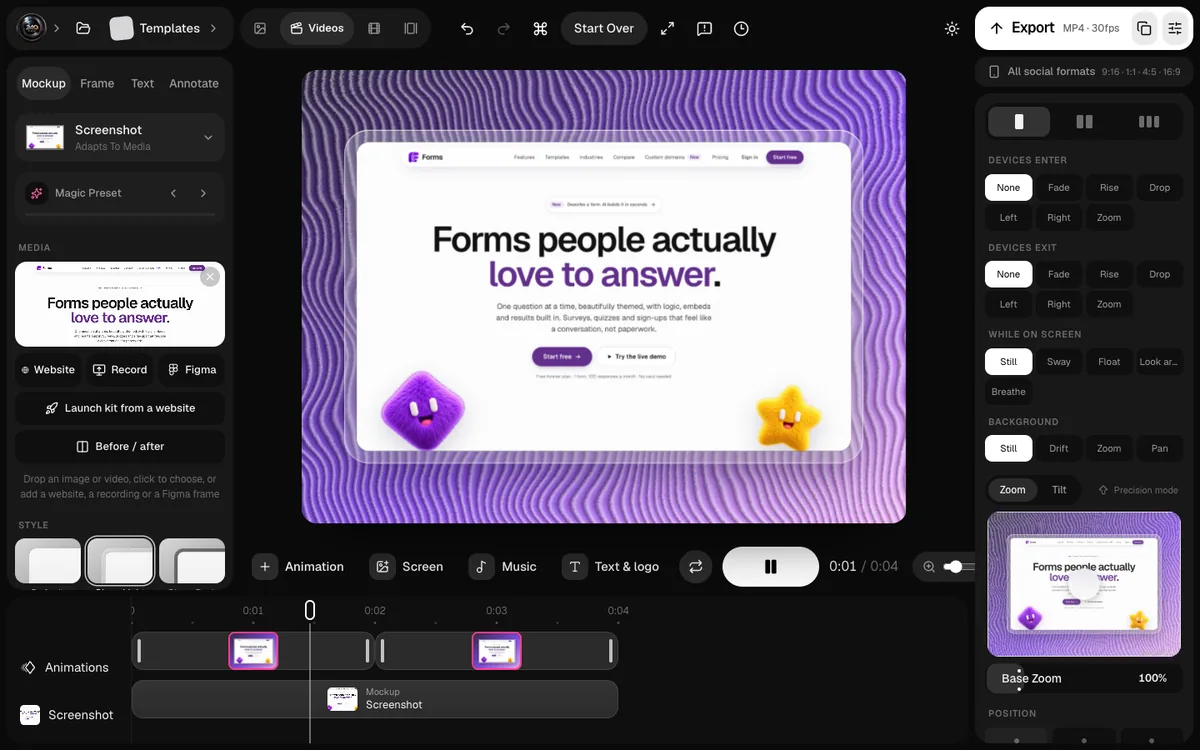
This is the job I built 240fps for. Drop in a screenshot or a screen recording, pick a launch template, and export it in the shape LinkedIn needs: the export panel has an All social formats option covering 9:16, 1:1, 4:5 and 16:9.
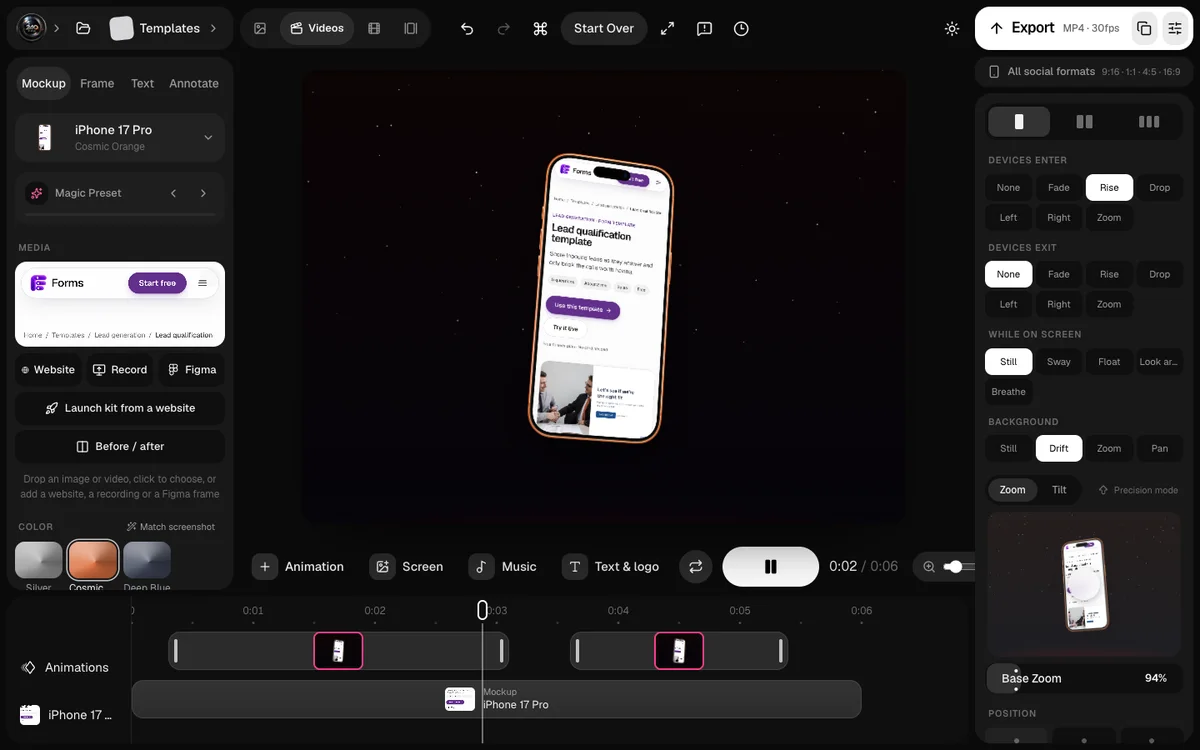
For screen recordings, 240fps for Mac zooms in on your clicks and writes captions on your Mac, and the captions can be saved as an .srt file for LinkedIn. Designing is free in your browser; exporting comes with 240fps Monthly at $7 a month or Lifetime at $39 once.
FAQs
What is the best video size for LinkedIn?
For the feed, 1080 × 1350 (4:5) or 1080 × 1080 (1:1). For a wide video, 1920 × 1080 (16:9). LinkedIn accepts organic videos from 256 × 144 up to 4096 × 2304 pixels, in any shape from 1:2.4 to 2.4:1.
How long can a LinkedIn video be?
Up to 15 minutes from a personal profile and 10 minutes from a Company Page. Video ads can run from 3 seconds to 30 minutes, but LinkedIn recommends 15 to 30 seconds for ads to qualify for every placement.
What is the maximum video file size on LinkedIn?
5 GB for posts from a profile or Company Page, and 500 MB for video ads. The minimum is 75 KB.
Can LinkedIn videos be vertical?
Yes. Organic posts accept shapes as tall as 1:2.4, and ads accept 4:5 (up to 1080 × 1350) and 9:16 (up to 1080 × 1920).
How do I add subtitles to a LinkedIn video?
Post from a desktop computer, click Edit on the video preview, then Select Caption and attach an SRT file. Captions work on posts from personal accounts and LinkedIn Pages.
What frame rate should a LinkedIn video use?
Organic posts accept 10 to 60 fps. LinkedIn's video ad specification asks for less than 30 fps, so if you might sponsor the post, export at 24 or 25 fps.
Last updated: 2 October 2026. All specs are from LinkedIn's help centre on 2 October 2026.