Tool
Product reel maker
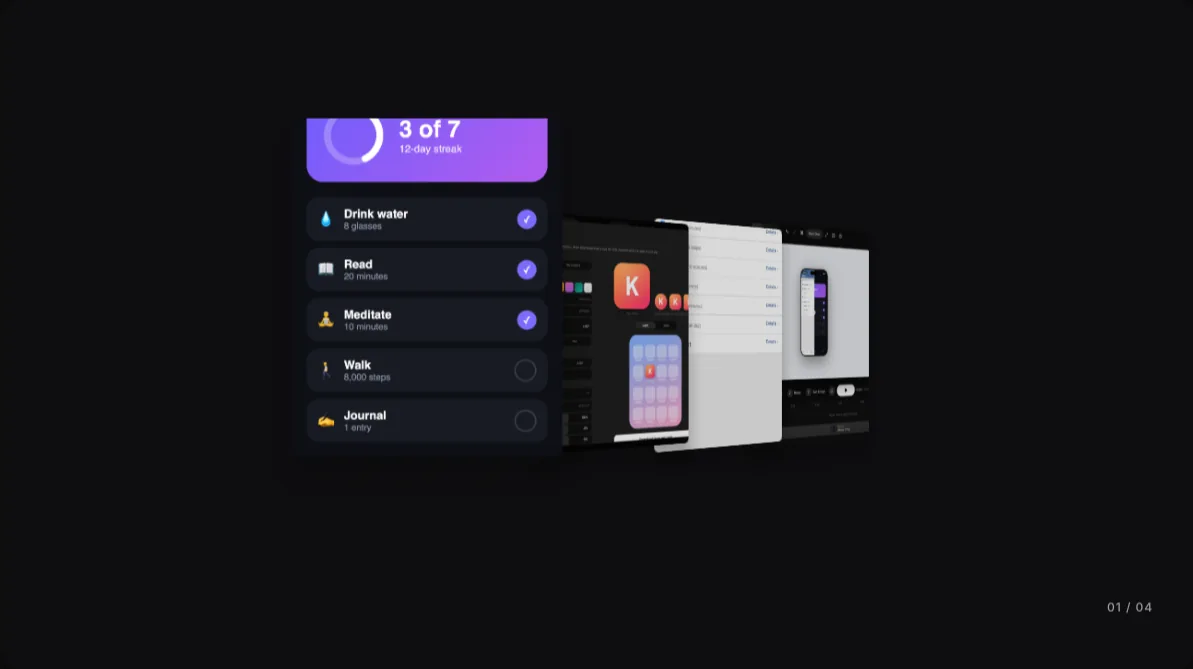
240fps has a Reels mode that turns your screenshots, videos and recordings into animated reels: 15 showreels that play through your work one piece at a time, and 273 seamless loops in 24 categories. Add a song and Fit to the beat sets the timing so every change lands on a beat. Add your own text and logos, then export an MP4, WebM or GIF at 1080p or 4K, in one shape or in 16:9, 9:16, 1:1 and 4:5 at once.
Showreels and loops
A showreel plays once through your work, one piece per beat, with a label on each piece, a counter and your title at the end. A loop has no start or end: the last frame flows into the first, so it can repeat under a post or on a landing page. Each preset says how many pieces it wants, and shows sample work until you add yours.
On the beat
Add a song and 240fps finds its tempo. For a showreel, choose a new piece every beat, two beats, bar or two bars, and Fit to the beat sets the time per piece and where the song starts, so the first piece lands on a downbeat. For a loop, it sets the speed so one pass is a whole number of bars. A track with no steady beat, like an ambient or piano piece, can't be fitted; the reel plays at the pace you set instead.
Every feed from one reel
All social sizes renders the same reel in 16:9, 9:16, 1:1 and 4:5 and downloads one file per shape in a zip. Your text and logos sit at the same share of each frame, and text that would run off a narrow frame shrinks to fit. On 9:16, safe-zone guides show what TikTok, Reels, Shorts and Stories cover with their buttons.
How to do it
- 1Switch to ReelsIn the editor, choose Reels in the mode switch at the top.
- 2Pick a showreel or a loopHover a card to see it move, and click it to open it.
- 3Add your workDrop screenshots or videos onto Your work and drag them into order.
- 4Add music and exportAdd a song, press Fit to the beat, then export one shape or All social sizes.
Questions
Are reels device mockups?
No. Reels show your screenshots and videos as cards, walls and carousels, without phone or laptop frames. For your app inside an iPhone or a MacBook, make a mockup video instead.
How long can a reel be?
Up to 60 seconds. A showreel lasts the number of pieces times the time per piece, plus about three seconds for the intro and the end. A loop exports one seamless pass, or up to eight with Plays.
Is the music in the export?
In MP4 and WebM, yes. GIFs have no sound.
Is it free?
Designing is free, and free exports are previews: up to 1280 px, with a small 240fps mark. Full-size exports with no mark come with 240fps Monthly ($7 a month) or Lifetime ($39 once).