Comparison
240fps vs AppLaunchpad
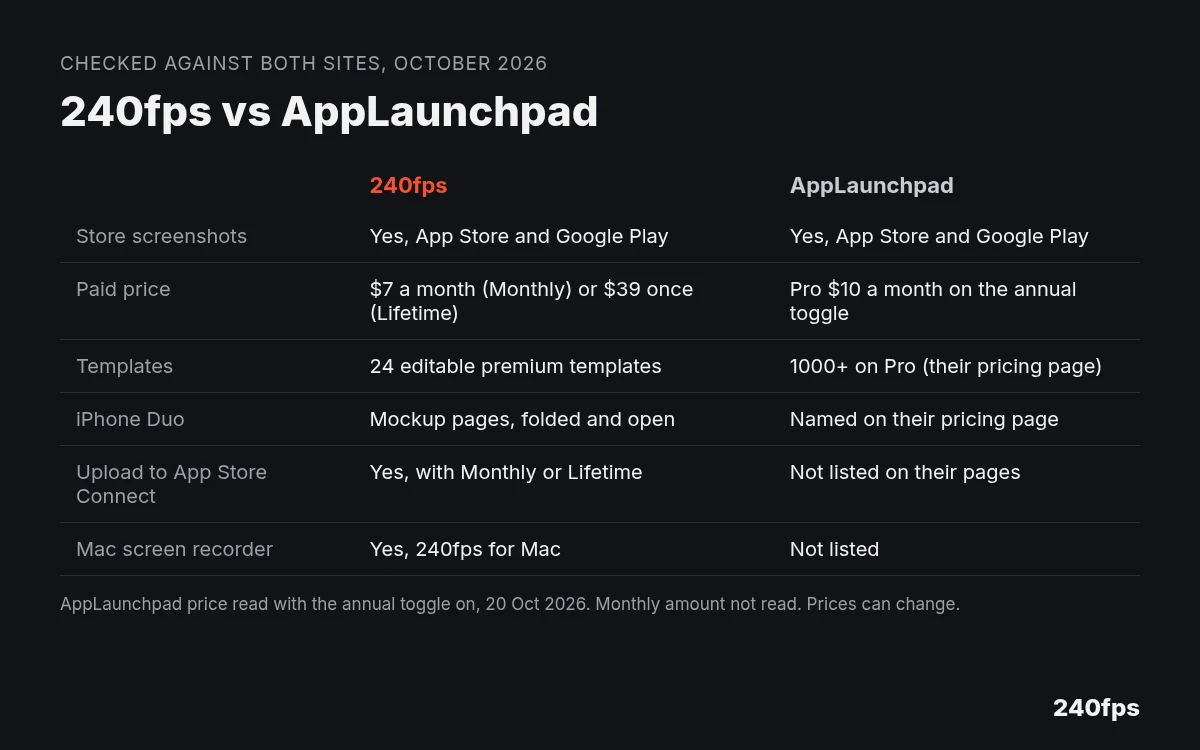
Both make App Store and Google Play screenshots in the browser. 240fps also makes device mockups, product videos and a Mac screen recorder; designing is free, and full-size exports are $7 a month or $39 once, including upload to App Store Connect. AppLaunchpad's pricing page (annual toggle, 20 Oct 2026) showed Pro at $10 a month, plus a free plan with limited exports.
Quick verdict
Choose AppLaunchpad if you want a very large template and graphics library for store screenshots, with AI translation for localisation, on a subscription. Choose 240fps if you want to upload straight to App Store Connect, or want product videos and a Mac screen recorder on the same plan, or would rather pay once.
Both are browser tools for the same core job, so the choice comes down to the extras and how you'd like to pay. Everything below is what each company's own site said, checked between 20 and 22 October 2026.
Feature comparison
"Not listed" means the pages we checked don't mention it. It doesn't mean the tool can't do it.
| 240fps | AppLaunchpad | |
|---|---|---|
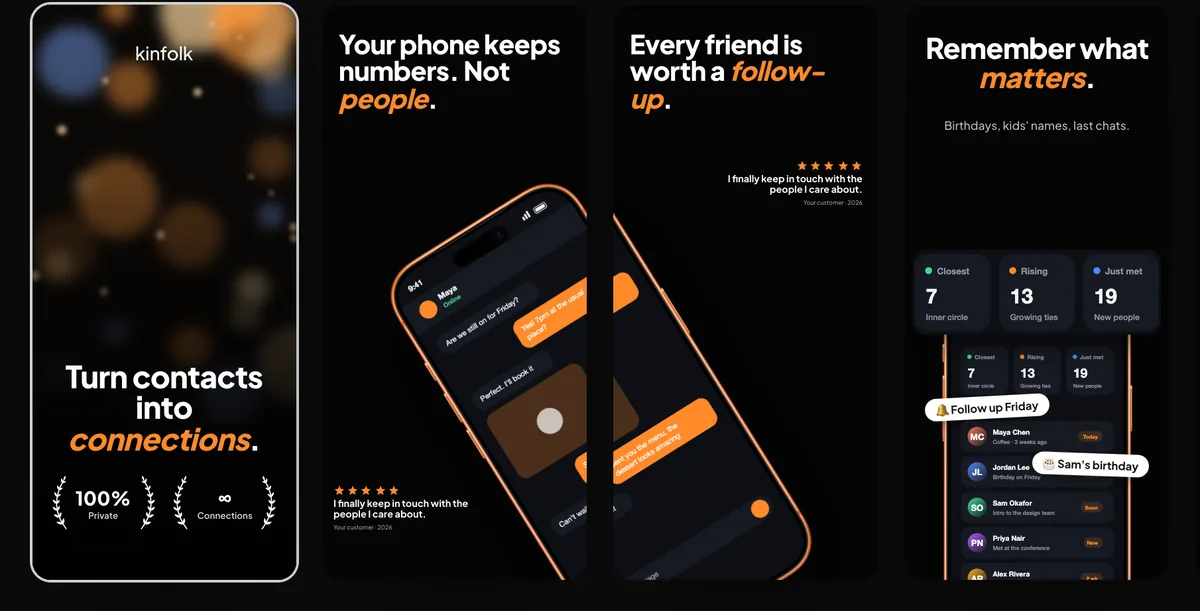
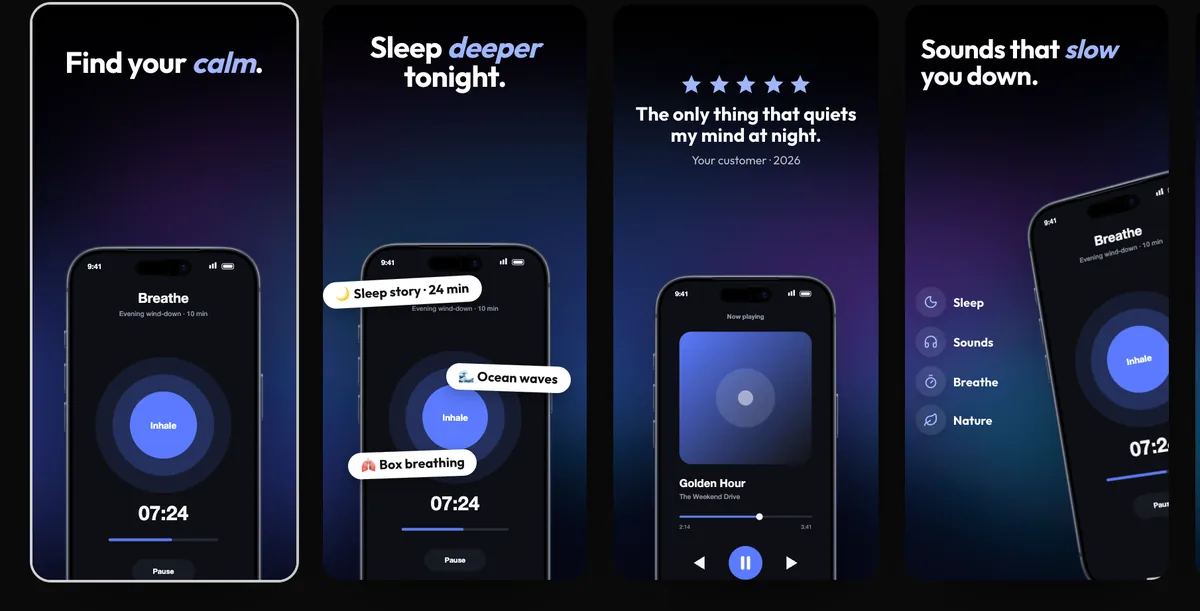
| Store screenshots | App Store and Google Play screenshot sets, in every size and language | App Store and Google Play screenshots in all the required sizes (pricing FAQ) |
| Templates | 24 editable premium templates | 10 on Free; 1,000+ on Pro |
| Graphics, layouts and fonts | Not listed | Free: 100+ graphics, 100 layouts, 70 fonts. Pro: 10K+ graphics, 100+ layouts, 700+ fonts |
| Devices | iPhone, iPad, Mac, Apple Watch, Android and browser frames, including the iPhone Duo closed and open, with App Store sizes for its outer and inner screens | Pro lists "iPhone 18, iPhone Duo, iPad Pro". Its FAQ names iPhone 18, 18 Pro and 18 Pro Max, iPhone Duo, and iPad Pro, Air and mini |
| Localisation | Screenshot sets in every language | Localisation with an AI translator (Pro) |
| App Preview video | Yes | Not listed |
| Upload to App Store Connect | Yes, with Monthly or Lifetime | Not listed on its homepage or pricing page |
| Mockups and video | Device mockups and animated product videos in the browser | Pro includes access to its Mockup Generator and other design tools |
| Mac screen recorder | 240fps for Mac (macOS 15 Sequoia or later, Apple silicon) | Not listed |
| Projects | Not listed | Pro: up to 100 projects. Enterprise: up to 500 |
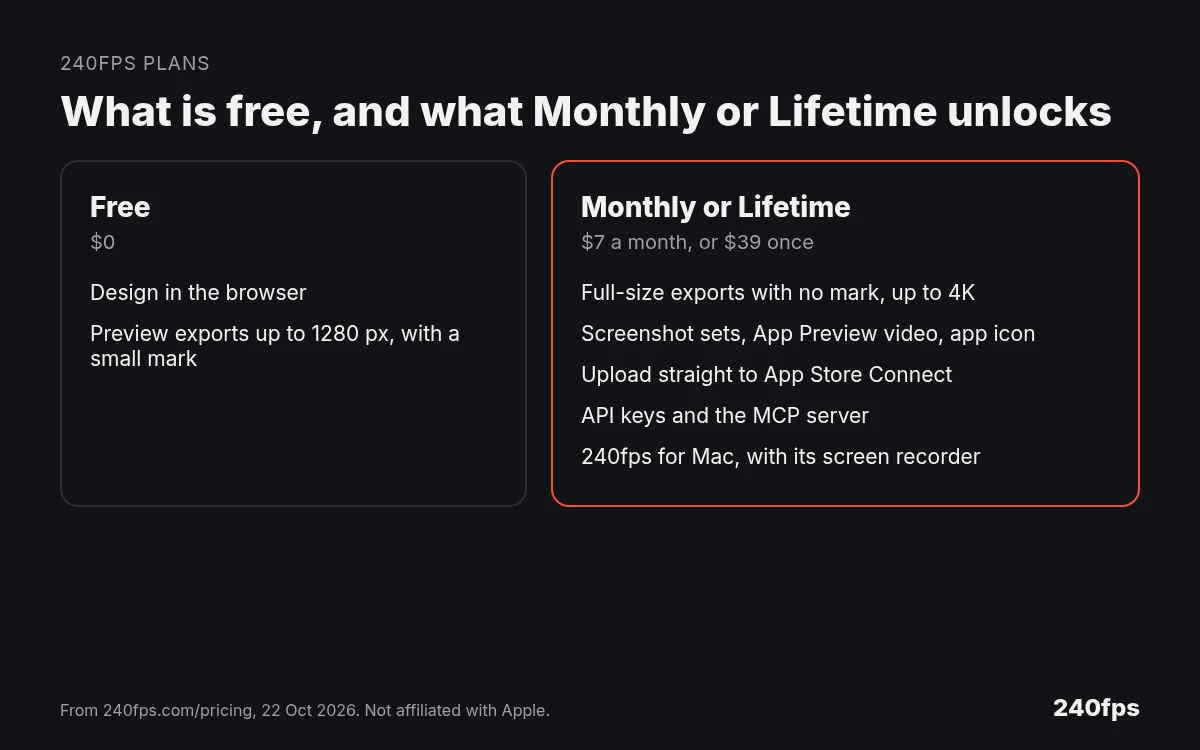
| Free plan | Design everything; preview exports up to 1280 px with a small 240fps mark | "Pro features with limited Exports" |
| Price | $7 a month or $39 once | Pro: $10 a month on the annual toggle (20 Oct 2026). Monthly amount not read |
Pricing
240fps, from 240fps pricing: designing in the browser is free, and free exports are previews up to 1280 px with a small mark. Monthly is $7 a month and Lifetime is $39 once. Either one adds full-size exports up to 4K, screenshot sets with the App Preview video and the app icon, upload to App Store Connect, API keys and the MCP server, and 240fps for Mac.
AppLaunchpad, from its pricing page on 20 October 2026: the page has a Monthly / Annual switch, with "Save 33%" next to Annual. With Annual selected, Pro showed $10 a month, billed annually. We didn't read the amount with Monthly selected, so we haven't printed or worked one out here; check the switch yourself before you compare. The Free plan is $0 with limited exports. The FAQ says you can cancel anytime, that it takes credit and debit cards with 3D Secure, and that it doesn't accept PayPal or prepaid cards.
Where AppLaunchpad is the better pick
- You want the biggest choice of starting points. Its pricing page lists 1,000+ templates and 10K+ graphics on Pro, against 240fps's 24 templates.
- You localise with machine translation. Pro lists localisation with an AI translator.
- You want iPhone 18 frames now. AppLaunchpad's FAQ says it includes iPhone 18, iPhone 18 Pro and iPhone 18 Pro Max. Apple's iPhone page lists the iPhone 18 Pro and iPhone Duo; we haven't checked how closely AppLaunchpad's frames match.
Where 240fps is the better pick
- You want the upload done for you. 240fps uploads screenshot sets and the App Preview straight to App Store Connect. That isn't listed on AppLaunchpad's homepage or pricing page. (You can still export files from either and upload them yourself.)
- You make more than screenshots. The same plan covers device mockups, animated product videos and 240fps for Mac, a Mac screen recorder with automatic zooms.
- You'd rather pay once. 240fps Lifetime is $39 once. AppLaunchpad's pricing page shows a subscription.
- You're shipping for iPhone Duo. 240fps has an iPhone Duo mockup, closed and open, and the App Store sizes for its outer (1398 × 2034) and inner (2007 × 2853) screens. See App Store screenshot sizes by device.
How to try both
Both have a free way in. In 240fps, you can design a whole set in the browser; free exports are previews up to 1280 px with a small mark. AppLaunchpad's Free plan includes Pro features with limited exports, 10 templates and 100+ graphics.
About this comparison
AppLaunchpad details are from its own homepage and pricing page, read between 20 and 22 October 2026. 240fps details are from 240fps.com/pricing, /download, the App Store screenshot generator and the iPhone Duo pages on 22 October 2026. Features and prices change, so check both sites before you decide. 240fps isn't affiliated with AppLaunchpad or Apple.
More comparisons: compare 240fps with 240fps vs Mockey and 240fps vs SmoothCapture. For the specs themselves, see App Store screenshot sizes, App Store screenshot rules and the best App Store screenshot generators.
FAQs
Is 240fps an AppLaunchpad alternative?
Yes, for App Store and Google Play screenshots made in the browser. 240fps adds upload to App Store Connect, device mockups, product videos and a Mac screen recorder, for $7 a month or $39 once. AppLaunchpad lists far more templates and graphics on Pro, plus AI translation, on a subscription.
Which is cheaper?
We can't name a winner yet. 240fps is $7 a month or $39 once. AppLaunchpad's Pro showed $10 a month with its Annual switch on, on 20 October 2026, and we didn't read the Monthly price. Check that switch on its pricing page, then compare what each plan includes.
Does AppLaunchpad include iPhone 18 frames?
Its FAQ says yes: iPhone 18, iPhone 18 Pro and iPhone 18 Pro Max, as well as iPhone Duo and recent iPads. Apple's iPhone page lists the iPhone 18 Pro and iPhone Duo. We haven't checked how accurate AppLaunchpad's frames are, so compare them with Apple's own images.
Can 240fps upload to App Store Connect?
Yes. 240fps uploads your screenshot sets in every size and language, and the App Preview video, straight to a version in App Store Connect. Designing the set is free; uploading, like exporting, comes with 240fps Monthly ($7 a month) or Lifetime ($39 once).
Does 240fps have iPhone Duo mockups?
Yes. 240fps has an iPhone Duo mockup page for the phone closed and another for it open, and App Store screenshot sizes for both screens: 1398 × 2034 pixels for the outer screen and 2007 × 2853 for the inner one. Frames are drawn by 240fps, which isn't affiliated with Apple.
Can I try both for free?
Yes. 240fps lets you design everything in the browser for free, with preview exports up to 1280 px and a small mark. AppLaunchpad's Free plan includes Pro features with limited exports, 10 templates and 100+ graphics. Paid plans remove those limits on each side.