Comparison
240fps vs Smartmockups, now Canva Mockups
As of 1 Nov 2026, smartmockups.com redirects to Canva Mockups, inside the Canva editor. Pick Canva Mockups for print, apparel, packaging and photo scenes in a Canva design; Free covers up to 2,500 mockups. Pick 240fps for device frames with real screenshots, recordings or live sites, App Store and Google Play sets and product videos, from $7 a month or $39 once.
By the 240fps team · Checked 1 November 2026.
If you've typed smartmockups.com lately, you've noticed you didn't land on Smartmockups. You landed on Canva. The tool you used to drop a design onto a mug or a phone now lives somewhere else, with a different workflow.
So the real question is what you were using it for. If it was T-shirts, packaging and print, Canva Mockups is the natural next step. If it was phones, laptops and app screens, 240fps is built for that job. Here's the honest split.
Where Smartmockups went
As of 1 Nov 2026, smartmockups.com redirects to Canva Mockups. Smartmockups is part of Canva now, and mockups live inside the Canva editor under Elements > Mockups, according to Canva's page.
That changes how you work. You no longer open a separate mockup app. You open a Canva design, pick a mockup, and drop your artwork in. If you already live in Canva, that's convenient. If you only ever needed device shots, it's an extra layer.
Quick verdict: it depends what goes in the frame
- Choose Canva Mockups for print, apparel, packaging and photo scenes, when the mockup is part of a bigger Canva design.
- Choose 240fps for device frames with a real screenshot, screen recording or live website inside, for App Store and Google Play screenshot sets, for animated product videos, and for recording your Mac screen.
Plenty of people will use both. That's fine. They solve different problems.
Feature comparison
Canva facts come from canva.com/mockups and 240fps facts from 240fps pricing, both read on 1 Nov 2026. Where a page doesn't say, we write "Not listed".
| 240fps | Canva Mockups (was Smartmockups) | |
|---|---|---|
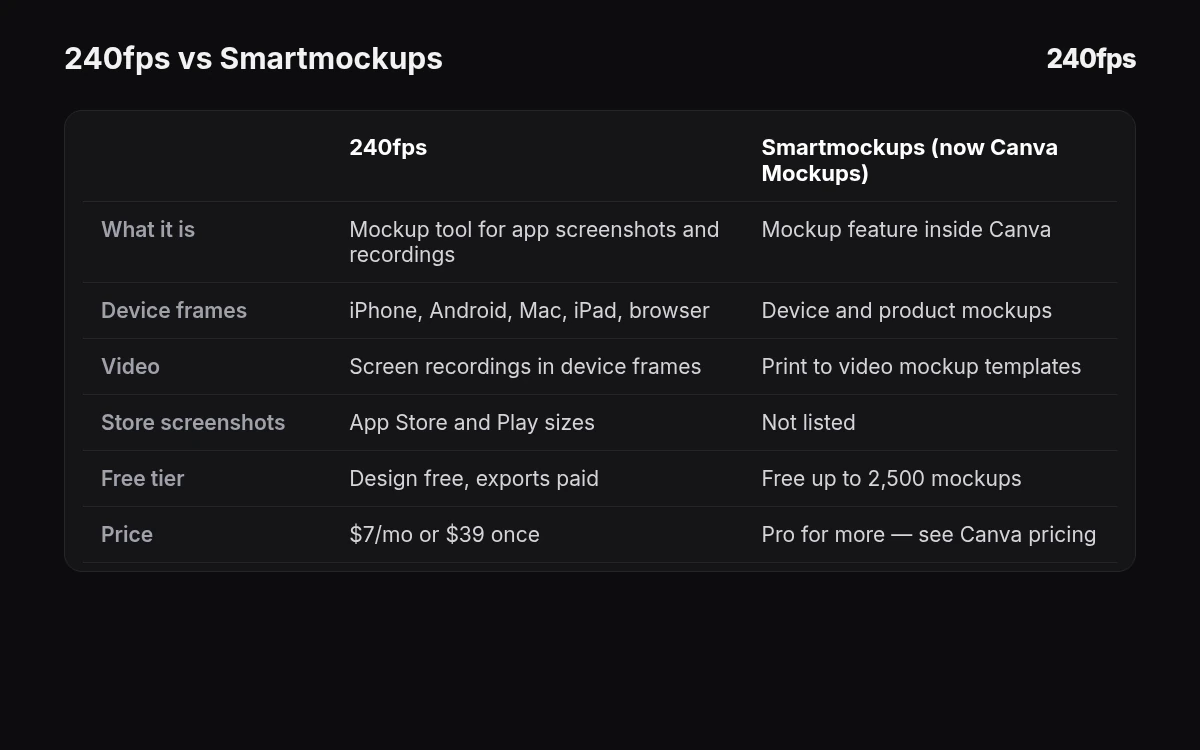
| What it is | Browser mockup and video tool for app and web screens, plus a Mac screen recorder | Mockup feature inside the Canva editor (Elements > Mockups) |
| Templates | Device, background and animation templates | Templates from print to video mockups, plus tech mockups for "your own website or app" |
| Free tier | Design free; exports are previews up to 1280 px with a small "Made with 240fps" mark | Free users "can create and use up to 2,500 mockups for free", then Canva Pro |
| What you put in | Screenshots, screen recordings or a live website URL | Your designs, or your own photo ("Create mockups from a photo" with AI that finds surfaces) |
| Video | Animated videos up to 60 s in the browser; MP4, WebM or GIF | Video mockup templates listed |
| Screen recorder | 240fps for Mac, recordings of any length | Not listed |
| Store screenshots | App Store and Google Play sets with App Preview, upload to App Store Connect | Not listed on the Canva Mockups page |
| Exports | Full size up to 4K with no mark on paid plans | See Canva's page |
| Price | $7 a month, or $39 once (Lifetime) | Free up to 2,500 mockups; beyond that, see Canva's pricing page |
For more head-to-heads, see all 240fps comparisons, including 240fps vs Mockey, 240fps vs Mockuuups Studio, 240fps vs Previewed and 240fps vs Shots.so.
Pricing, side by side
240fps. Designing is free in the browser: every device, template, background and animation, live websites and the Screenshots studio. Free exports are previews up to 1280 px with a small "Made with 240fps" mark. Monthly is $7. Lifetime is $39 once. Both unlock full-size exports up to 4K with no mark, and 240fps for Mac (macOS 15 Sequoia or later on Apple silicon, M1 or later).
Canva Mockups. Per Canva's FAQ, Canva Free users can create and use up to 2,500 mockups for free. Beyond that you need Canva Pro. Some editing tools on the page are marked Pro. We don't quote Canva's price here; check Canva's pricing page for today's figure.
When Canva Mockups is the better pick
- You already design in Canva. The mockup sits inside the same design as your poster, post or deck.
- Your product is physical. Print, apparel, packaging and books are what its templates cover.
- You want to use your own photo. "Create mockups from a photo" uses AI to find surfaces in a picture you upload.
- Your team approves work in Canva. Keeping mockups there keeps reviews in one place.
If that's your week, there's little reason to switch. Canva Mockups is the continuation of what Smartmockups did.
When 240fps is the better pick
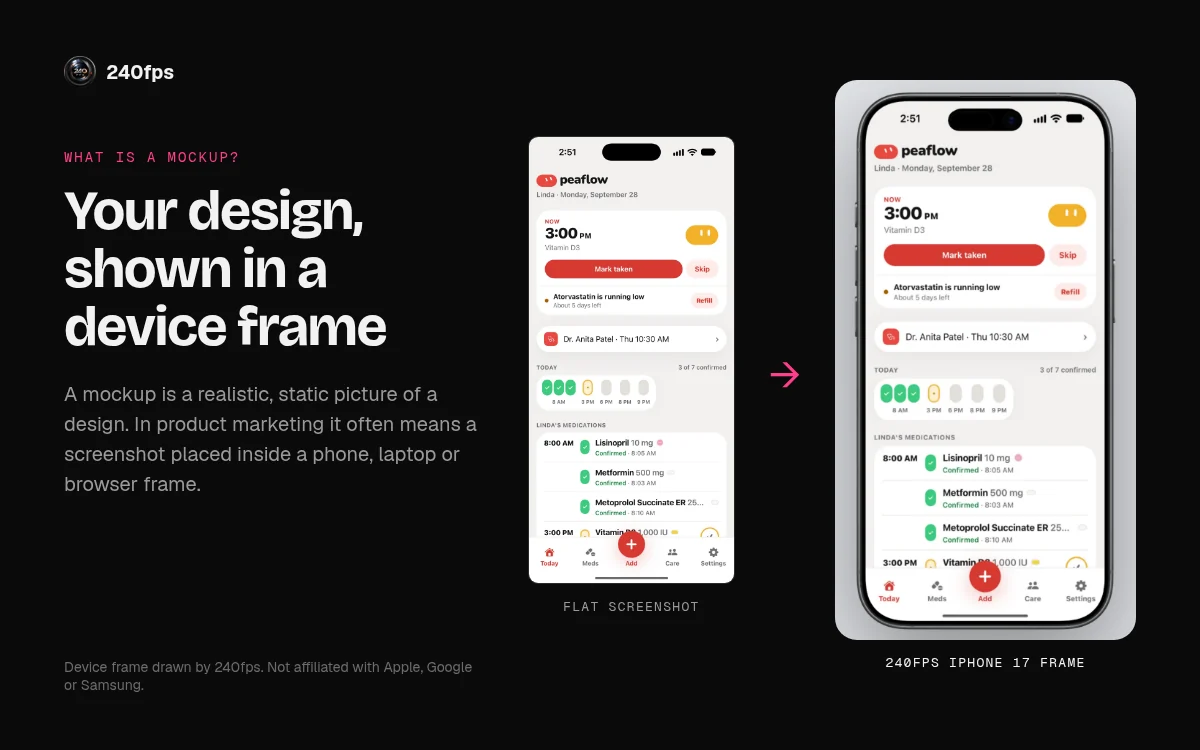
- The thing in the frame is software. Put a real screenshot, a screen recording or a live website into iPhone, iPad, Mac, Watch, Android, browser or TV frames. Start with an iPhone 17 mockup, a browser mockup, a screenshot mockup or a TV mockup, or browse all device mockups.
- You're shipping to an app store. The App Store screenshot generator builds App Store and Google Play sets, with App Preview, and uploads to App Store Connect.
- You want motion. Animate a device, turn a URL into a clip with website to video, and export MP4, WebM or GIF.
- You record your screen. 240fps for Mac records your screen with automatic zooms and captions. See our pick of the best screen recorder for Mac.
Got a single screenshot and five minutes? Screenshot to mockup is the fastest way in. New to the idea? Read what a mockup is.
How to try both without paying
You don't have to take our word for it. In 240fps, open any device or mockup template, drop in your screenshot and export a free preview up to 1280 px with a small mark. In Canva, open a design and add a mockup from Elements; Free covers up to 2,500 mockups. Put the same screen through both and keep the one that looks right. If you only make one kind of mockup, the choice usually makes itself within a few minutes.
240fps vs Smartmockups questions
What happened to Smartmockups?
As of 1 Nov 2026, smartmockups.com redirects to Canva Mockups at canva.com/mockups. Smartmockups is part of Canva, and mockups now live inside the Canva editor under Elements, then Mockups. If you used Smartmockups for print or apparel, Canva Mockups is where that work continues. For device and app screens, 240fps is an alternative.
Is Canva Mockups free?
Partly. According to Canva's FAQ, Canva Free users can create and use up to 2,500 mockups for free. Beyond that, you need a Canva Pro account, and some editing tools on the page are marked Pro. Check Canva's pricing page for the current Pro price, because we don't quote it here.
Is 240fps a Smartmockups alternative?
For device mockups, App Store and Google Play screenshots and product videos, yes. 240fps puts real screenshots, recordings or live websites into phone, tablet, laptop, browser and TV frames, and exports video. It isn't built for apparel, packaging or print mockups; Canva Mockups covers those.
Which is cheaper, 240fps or Canva Mockups?
It depends on your use. 240fps is free to design, with full-size exports for $7 a month or $39 once for Lifetime. Canva Mockups is free for up to 2,500 mockups, then needs Canva Pro; see Canva's pricing page for that price. Light users may never pay for either.
Can I make App Store screenshots with 240fps?
Yes. The App Store screenshot generator builds App Store and Google Play screenshot sets, including App Preview, and can upload to App Store Connect. You can design for free and export previews up to 1280 px; paid plans unlock full-size exports up to 4K with no mark.