By Shaheer Malik · · 6 min read
Loom vs Screen Studio vs 240fps for Mac (2026)
Choose Loom for quick talking-head updates that you share as a link and your team comments on; its free Starter plan allows 25 videos of up to 5 minutes. Choose Screen Studio or 240fps for polished product demos with automatic zooms and a smooth cursor. Screen Studio is $29 a month or $9 a month billed yearly; 240fps is $39 once or $7 a month and also makes mockups and App Store screenshots.
Loom, Screen Studio and 240fps all record your screen, so they get compared. But they're built for different jobs. Loom is for sending a video message to your team and getting replies. Screen Studio and 240fps are for making a demo that looks produced: zooms on your clicks, a smooth cursor, a tidy frame. Picking the wrong kind of tool is the most common mistake.
This post compares the three on what they're for, what they cost per person, and where each one falls short.
A disclosure first: I make 240fps. Prices and features for Loom and Screen Studio come from their own websites, read on 4 October 2026. I've linked my more detailed comparisons where they exist.
What's the difference between Loom, Screen Studio and 240fps?
Loom is built around the share link; the other two are built around the edit. Here's the comparison:
| Loom | Screen Studio | 240fps for Mac | |
|---|---|---|---|
| Made for | Async video messages to a team | Polished demos and tutorials | Polished demos, plus mockups and App Store screenshots |
| Free option | Starter: 25 videos, 5-minute screen recordings | No | Design free in the browser; recording needs a plan |
| Paid price | Business $18, Business + AI $24 per user/month (monthly billing) | $29/month, or $9/month billed yearly | $7/month or $39 once |
| Automatic zooms on clicks | Not listed on its pricing page | Yes | Yes |
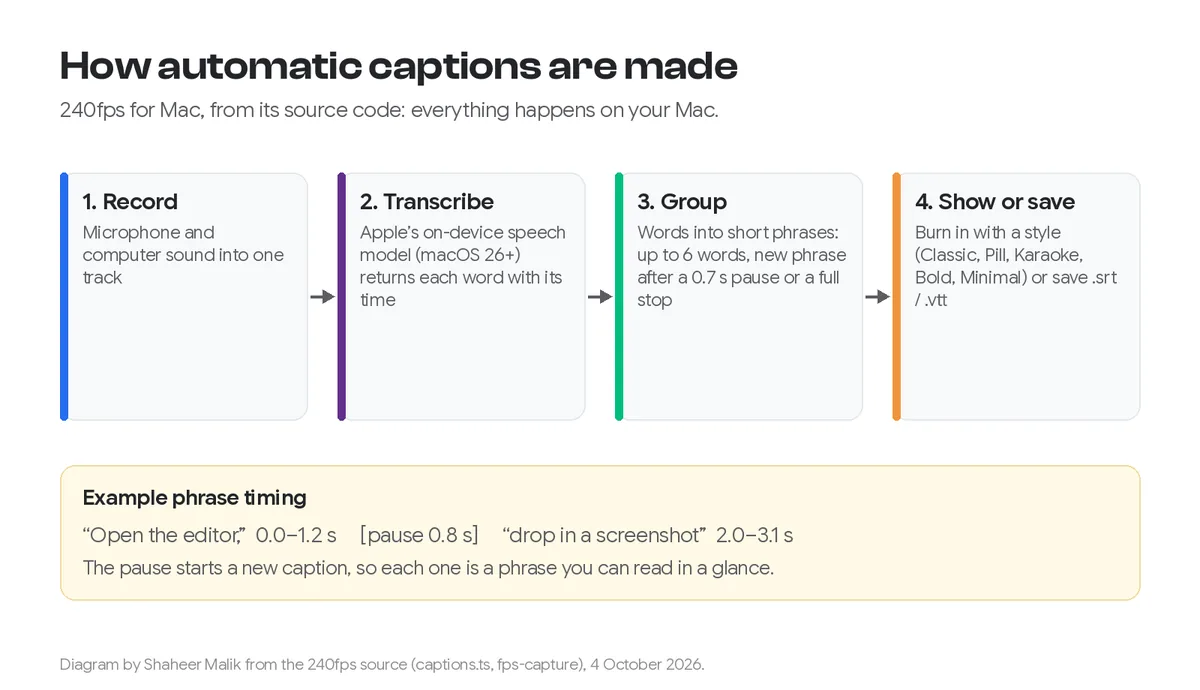
| Captions / transcripts | Transcriptions in 50+ languages | Cloud transcription (optional) | On-device captions (macOS 26+), .srt and .vtt |
| Sharing | Share link with comments and emoji reactions | Shareable links | Export a file; you host it |
| Runs on | Chrome extension and desktop app | macOS | macOS 15+ on Apple silicon; editor in any browser |
| Price model | Per user, subscription | Subscription | One-time or monthly |
When is Loom the right choice?
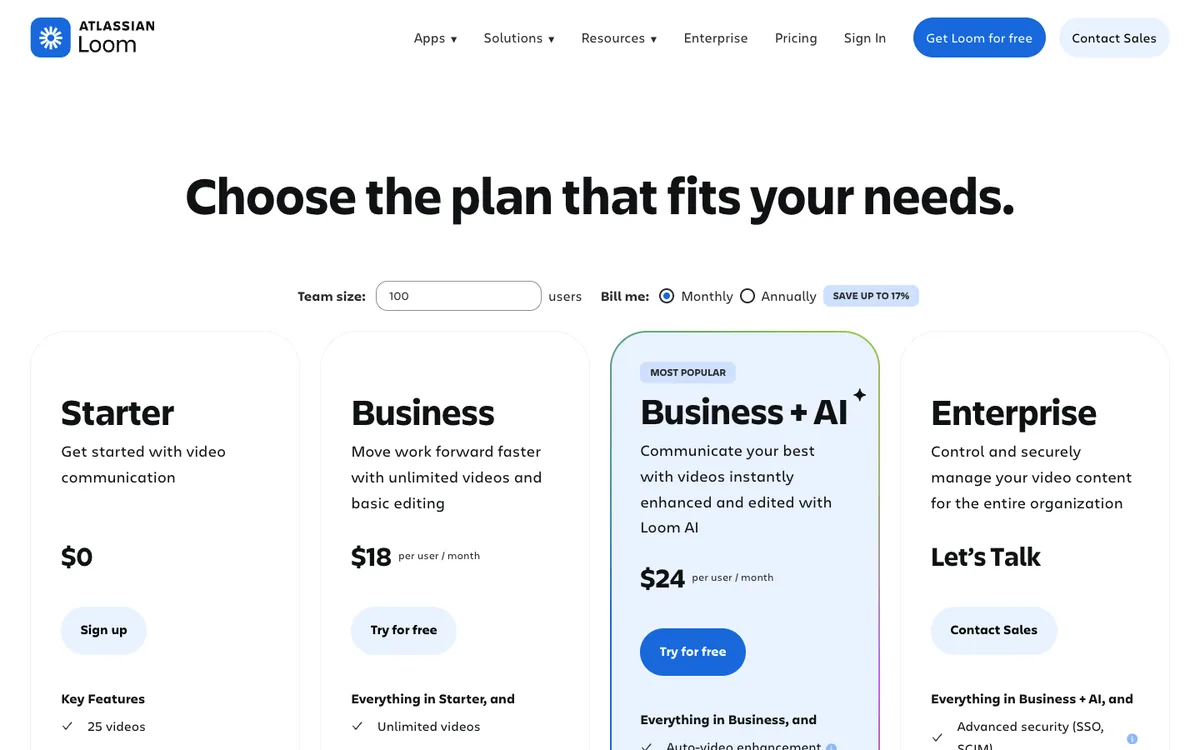
When the video is a message, not a product. Loom's free Starter plan includes 25 videos, five-minute screen recordings, transcriptions in more than 50 languages, and comments and emoji reactions, according to its pricing page. Business ($18 per user a month on monthly billing) removes the video and length limits, adds basic waveform editing, removes Loom branding and lets you upload and download videos. Business + AI ($24) adds automatic video enhancement, advanced editing and AI meeting notes. Annual billing saves up to 17%.
That makes Loom excellent for:
- explaining a bug to a developer,
- walking a client through a design,
- an update your team watches at 1.5× and replies to under the video.
It's not built for a launch video on your homepage. The look is a recording of your screen and usually your face, which is the point for a message but not for marketing.
When is Screen Studio the right choice?
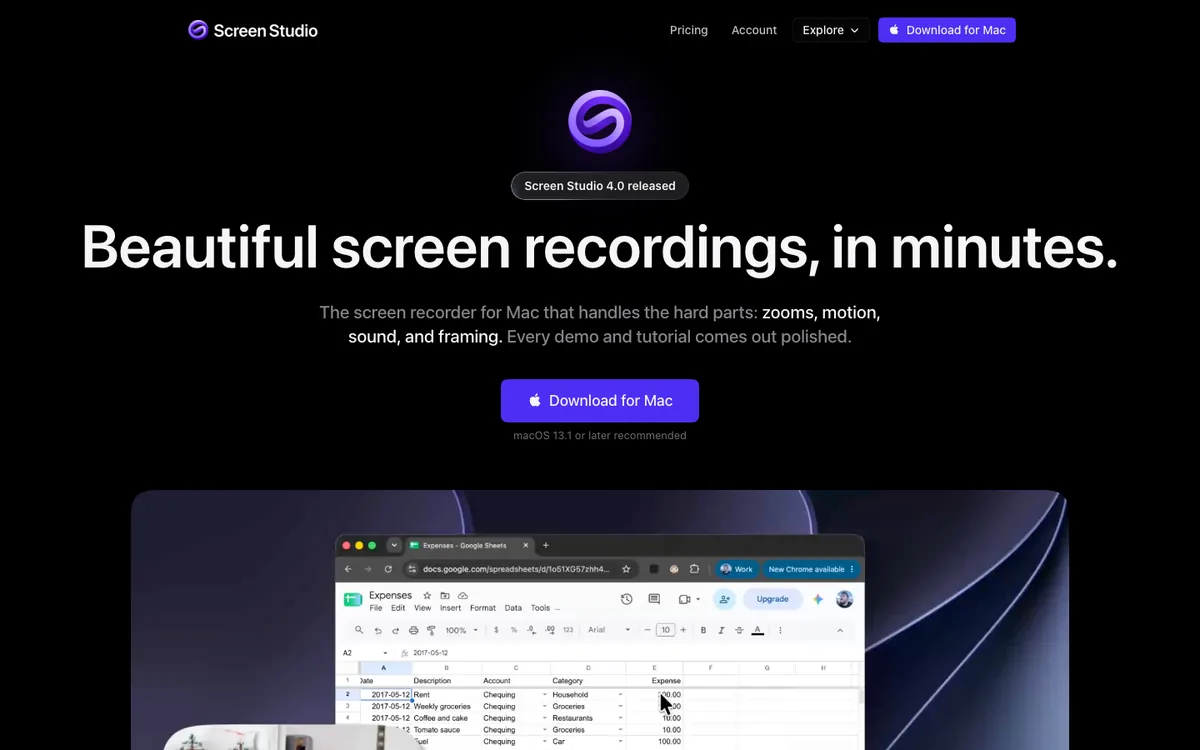
When you want a polished demo and are happy with a subscription. Screen Studio describes itself as a Mac screen recorder that handles zooms, motion, sound and framing for you, with automatic zooms based on where you clicked, a smoothed cursor and shareable links. Every feature is in every plan, at $29 a month or $9 a month billed yearly ($108 a year).
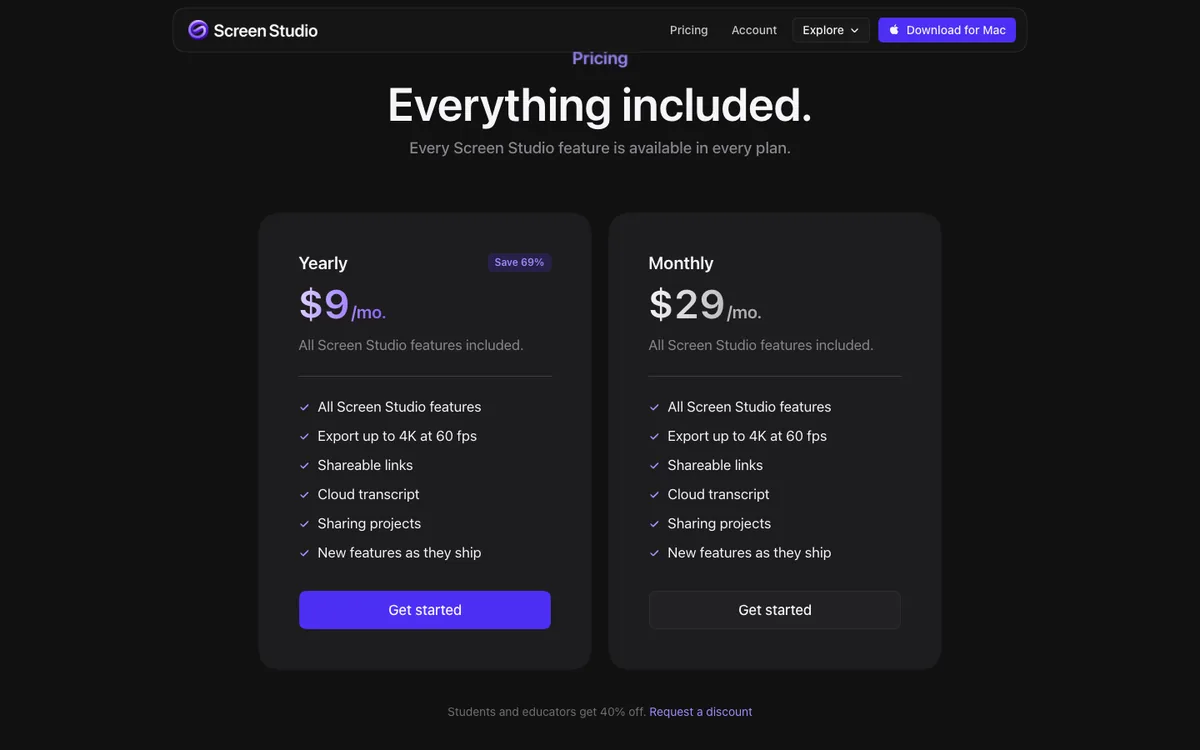
It's the best-known tool in this category and does the core job very well. The trade-off is the ongoing cost: three years of the monthly plan is $1,044, or $324 billed yearly. My Screen Studio pricing post goes through the plans.
When is 240fps the right choice?
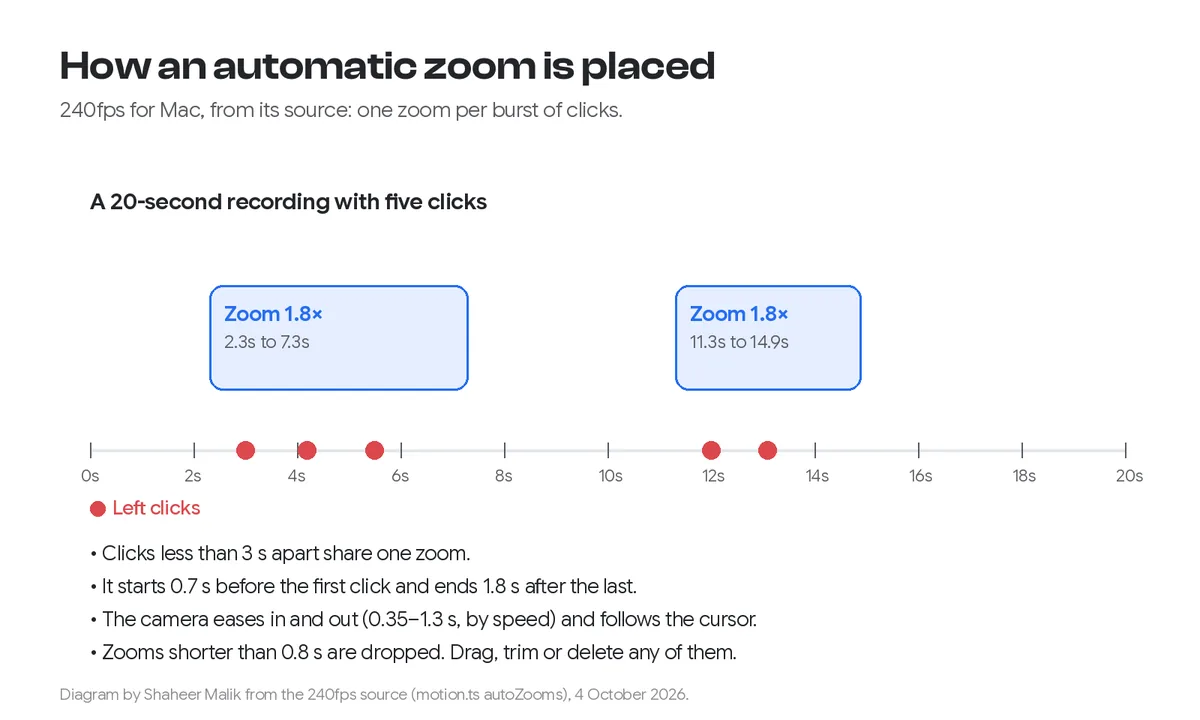
When you want the polished demo without a subscription, or you also need mockups and store screenshots. 240fps for Mac records a display, window or area with your microphone, the computer's sound and your camera. It then turns your clicks into zooms that ease in and out, smooths the cursor, and captions your voice on the Mac. It exports MP4 up to 4K at 60 fps. The same plan covers the browser editor for device mockups, product videos up to 60 seconds, and App Store and Google Play screenshot sets.
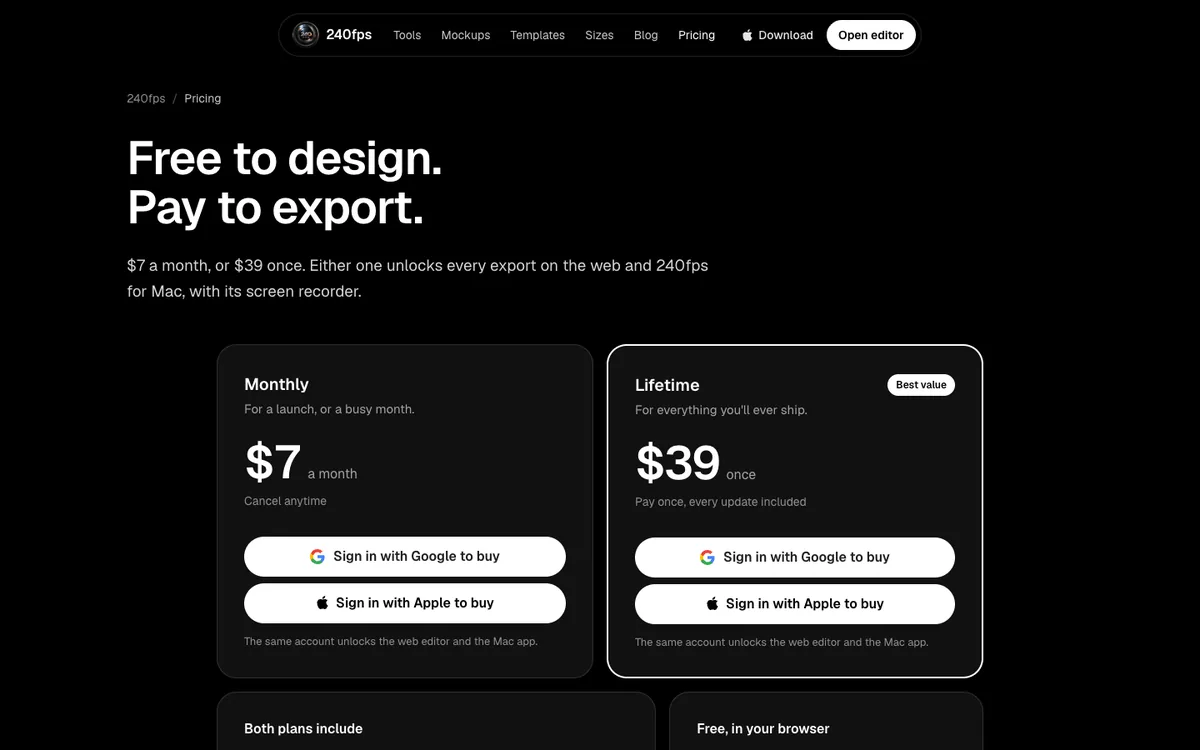
The trade-offs: there's no free recording tier, no hosted share link with comments (you export a file and put it where you like), and the Mac app needs macOS 15 Sequoia or later on an Apple silicon Mac. My post on how automatic zooms work shows exactly what the recorder does with your clicks.
What does each cost for a year?
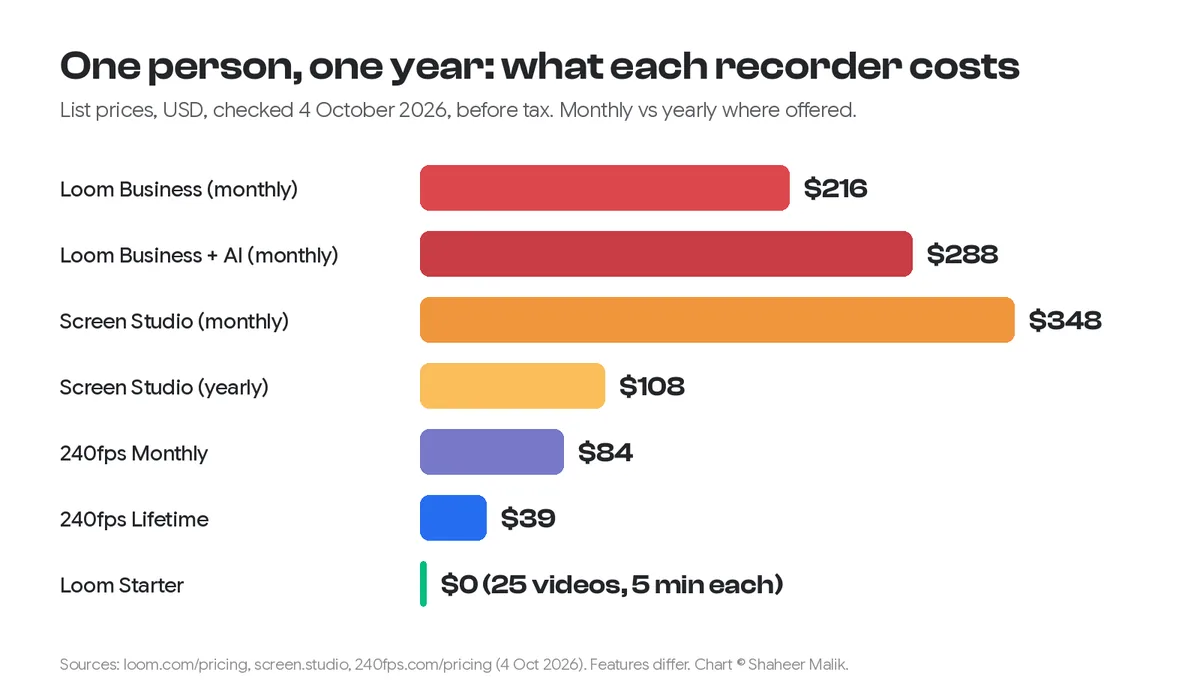
For one person, at list prices, before tax:
| Plan | One year | Three years |
|---|---|---|
| Loom Starter | $0 (25 videos, 5 minutes each) | $0 |
| Loom Business, monthly billing | $216 | $648 |
| Loom Business + AI, monthly billing | $288 | $864 |
| Screen Studio, monthly | $348 | $1,044 |
| Screen Studio, billed yearly | $108 | $324 |
| 240fps Monthly | $84 | $252 |
| 240fps Lifetime | $39 | $39 |
Loom's prices are per user, so a team of five pays five times. Loom's annual billing saves up to 17%, which brings its yearly totals down accordingly.
Can I use more than one?
Yes, and plenty of teams do: Loom for day-to-day messages, and a production recorder for the demo on the website and in the app store. They don't overlap much. If you only want one tool, decide which job matters more. If it's the team, choose Loom. If it's how your product looks to strangers, choose Screen Studio or 240fps.
FAQs
Is Loom free?
Loom's Starter plan is free, with 25 videos, five-minute screen recordings, transcriptions in more than 50 languages, and comments and reactions. Business costs $18 per user a month on monthly billing.
Does Loom zoom in on clicks like Screen Studio?
Loom's pricing page lists editing and AI enhancement features, but not automatic zooms on clicks. Screen Studio and 240fps both generate zooms from where you clicked.
Is there a one-time-purchase alternative to Screen Studio?
Yes. 240fps for Mac is $39 once, and Screen Movie also sells a $39 one-time licence. Both zoom in on your clicks. See 240fps vs Screen Movie.
Which is best for product demo videos?
A production recorder: Screen Studio or 240fps. They add automatic zooms, cursor smoothing and clean framing, which make a demo readable on a phone.
Can I share a link to my recording with 240fps?
The Mac app exports a video file that you upload where you want it, such as your website, YouTube or social media. It doesn't host videos with comments the way Loom does.
Last updated: 4 October 2026. Prices and features are from loom.com/pricing, loom.com/download, screen.studio and 240fps.com/pricing, read on 4 October 2026.