By Shaheer Malik · · 7 min read
Screen Studio Alternatives in 2026 (Prices Checked)
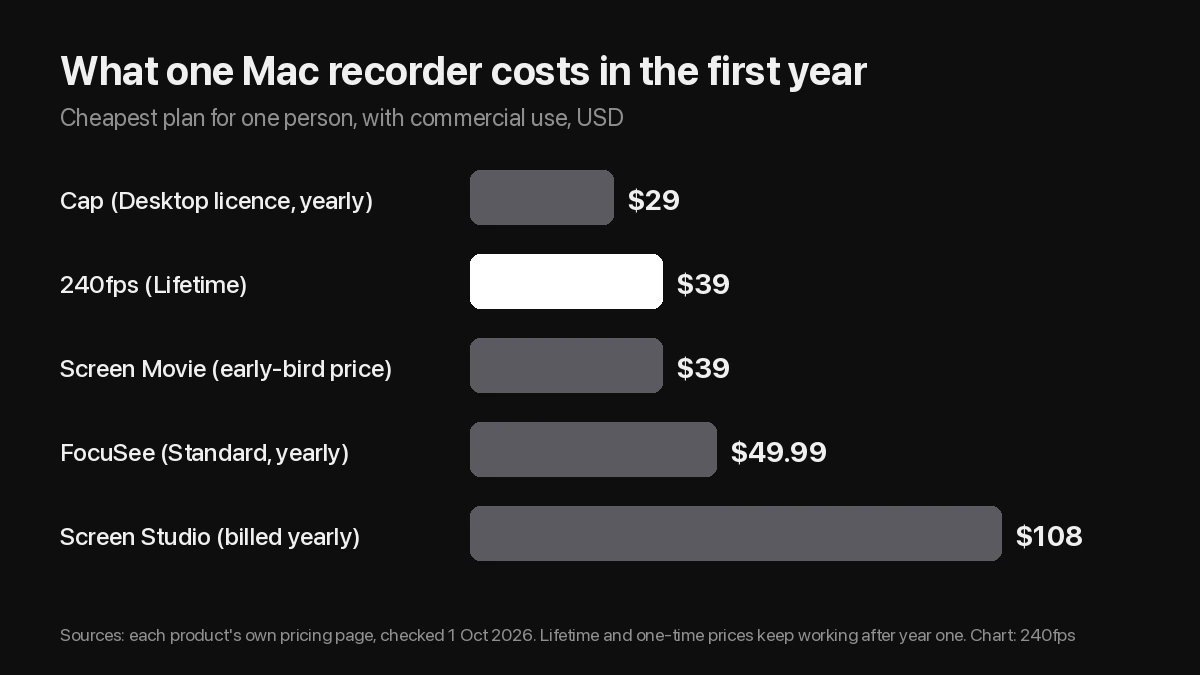
The best Screen Studio alternative depends on what you want to stop paying for. 240fps for Mac and Screen Movie both cost $39 once and zoom in on your clicks automatically. Cap is open source and runs on Mac, Windows and Linux, with a $29-a-year commercial licence. FocuSee runs on Windows and Mac from $49.99 a year. Loom is for quick video messages rather than polished demos.
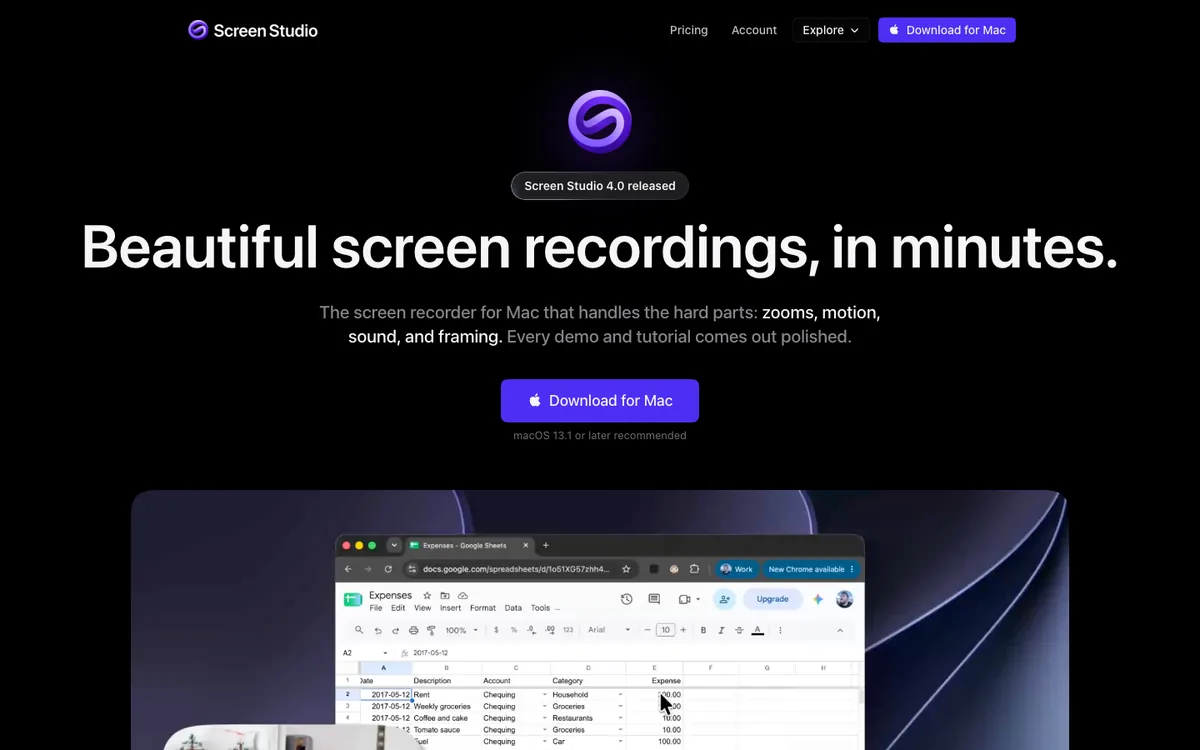
Screen Studio made a whole category popular: you record your screen, and the app turns your clicks into smooth zooms, so a raw recording looks like an edited product demo. It's very good at that.
It's also a subscription. On its website on 1 October 2026, Screen Studio cost $29 a month, or $9 a month billed yearly, and one-time licences were no longer sold to new buyers. If you record a demo every few weeks, that adds up.
A disclosure first: I make 240fps, one of the tools below. Every price here comes from each product's own website, read on 1 October 2026, and every screenshot was taken the same day, so you can check them yourself.
Why look for a Screen Studio alternative?
Mostly the subscription. Screen Studio's own site lists $29 a month, or $9 a month billed yearly, which is $108 a year. Its one-time licences, the reason many people first bought it, are no longer available for new purchases.
There are two other reasons. Screen Studio runs only on macOS, and its site says there are no near-term plans for Windows. And it's a recorder: if you also need device mockups or App Store screenshots, that's another tool and another bill.
Which Screen Studio alternatives are worth trying?
Five tools cover most reasons to switch. Here they are side by side, with the cheapest way for one person to use each commercially.
| Tool | Automatic zooms | Platforms | Cheapest commercial price |
|---|---|---|---|
| 240fps for Mac | Yes, from your clicks | Mac app (macOS 15+, Apple silicon) and web editor | $39 once, or $7 a month |
| Screen Movie | Yes, following the cursor | macOS 15+ | $39 once (early-bird price; regular $79) |
| Cap | Yes, in Studio Mode | macOS, Windows, Linux | $29 a year, or $58 once |
| FocuSee | Yes | Windows and Mac | $49.99 a year |
| Loom | Not listed | Mac, Windows, browser | Free Starter; Business $18 per user a month |
| Screen Studio (for reference) | Yes | macOS only | $9 a month billed yearly ($108) |
Here's what each one costs in the first year, for one person who needs commercial use.
1. 240fps for Mac: best if you also need mockups and store screenshots
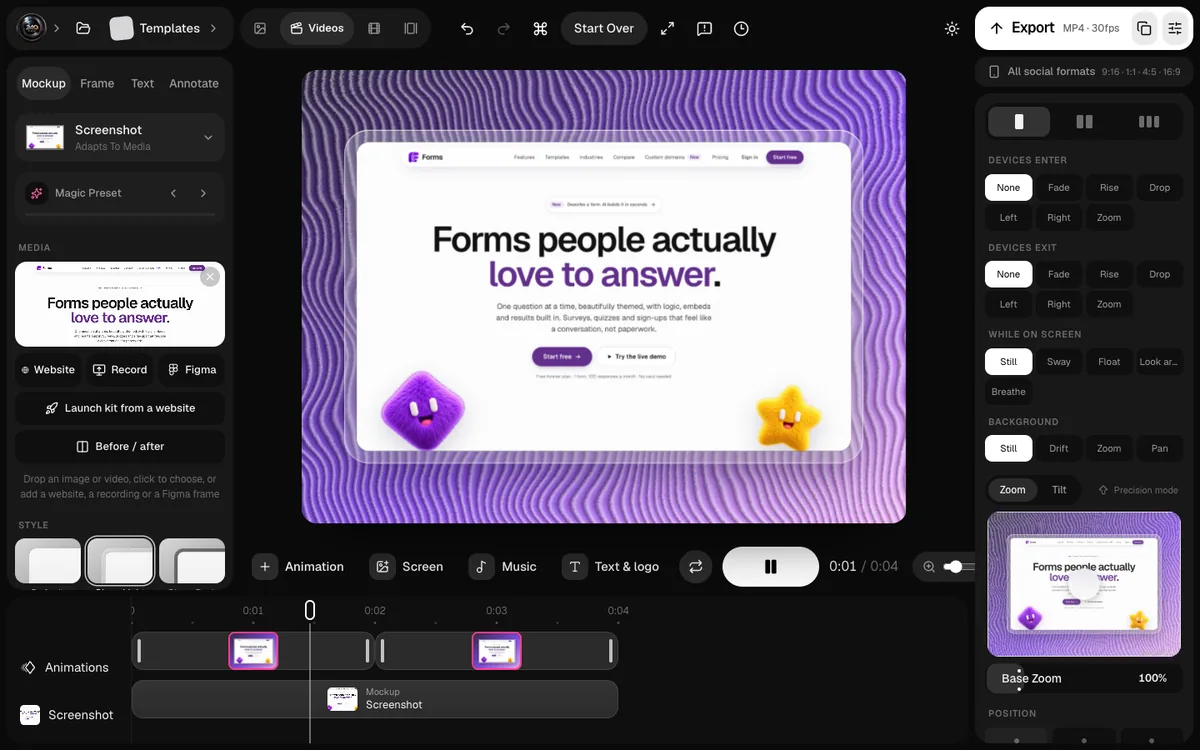
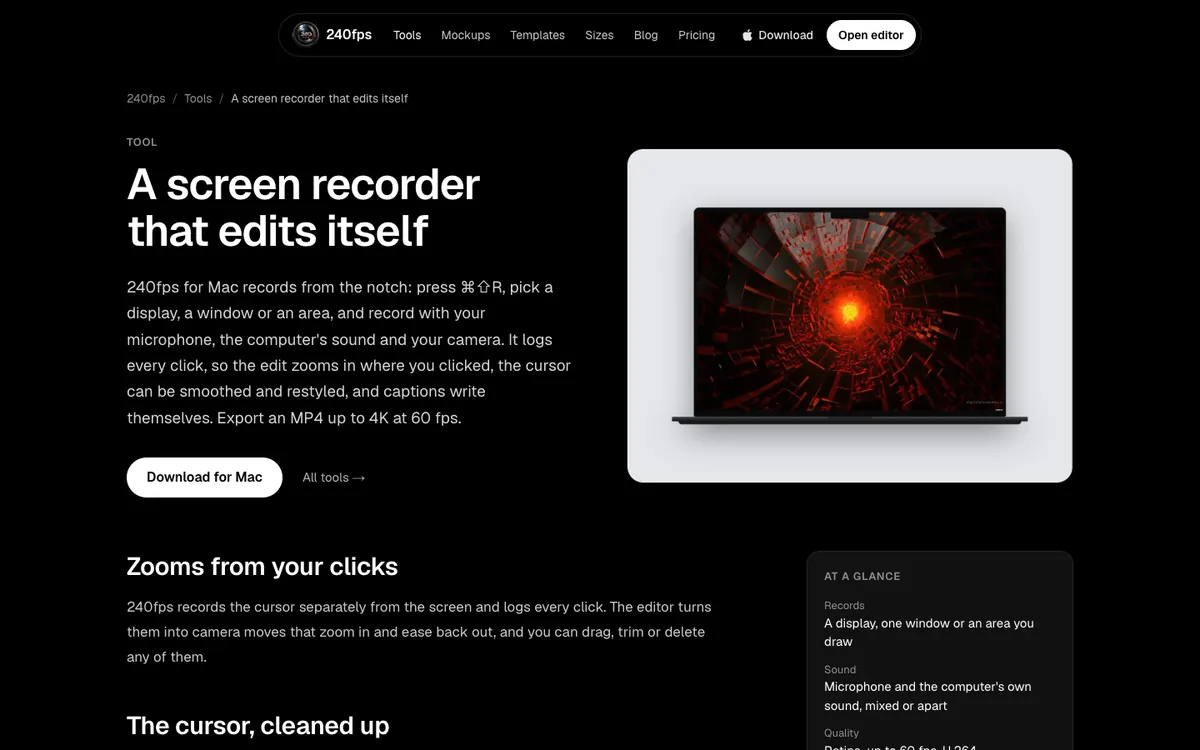
240fps for Mac records from a panel that slides out of the notch: press ⌘⇧R, pick a display, a window or an area, and record with your microphone, your Mac's sound and your camera. It logs every click, so the editor places zooms where you clicked, and you can drag, trim or delete each one.
Because the cursor is recorded separately, you can smooth it, enlarge it, add a click ring or hide it when it stops moving. Captions are transcribed on your Mac (on macOS 26), and recordings stay in a folder on your Mac. Exports go up to 4K at 60 fps.
The difference is what comes after the recording. The same app is a device mockup and App Store screenshot tool, so a demo can become a launch video, an App Preview or a post in a phone frame.
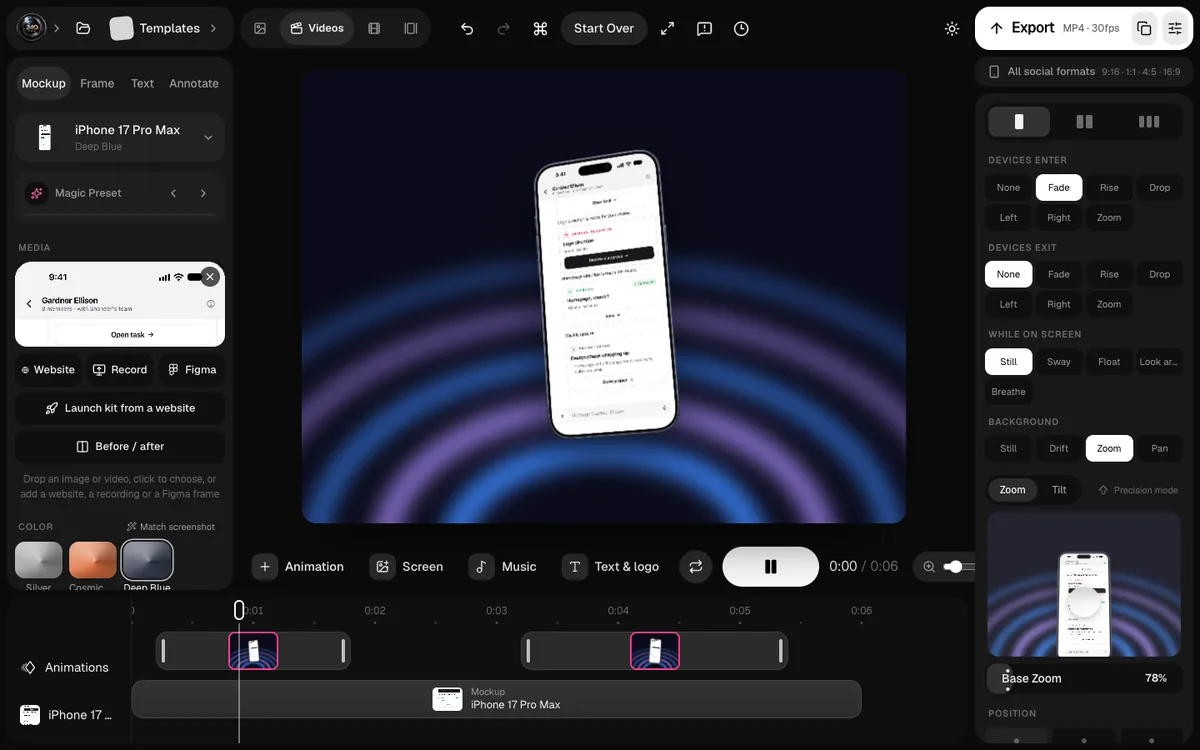
Price: $39 once, or $7 a month. The same plan unlocks exports in the browser.
Where it falls short: it needs macOS 15 and an Apple silicon Mac, and it doesn't make cloud share links yet. Screen Studio is the more established recorder. For the head-to-head, see 240fps vs Screen Studio.
2. Screen Movie: best one-time recorder with share links
Screen Movie is a native macOS recorder and editor. It follows the cursor with automatic zooms, records several cameras including an iPhone or iPad, and adds 40+ motion presets, 3D device mockups and animated backgrounds. It also offers cloud share links with timestamped comments and password protection.
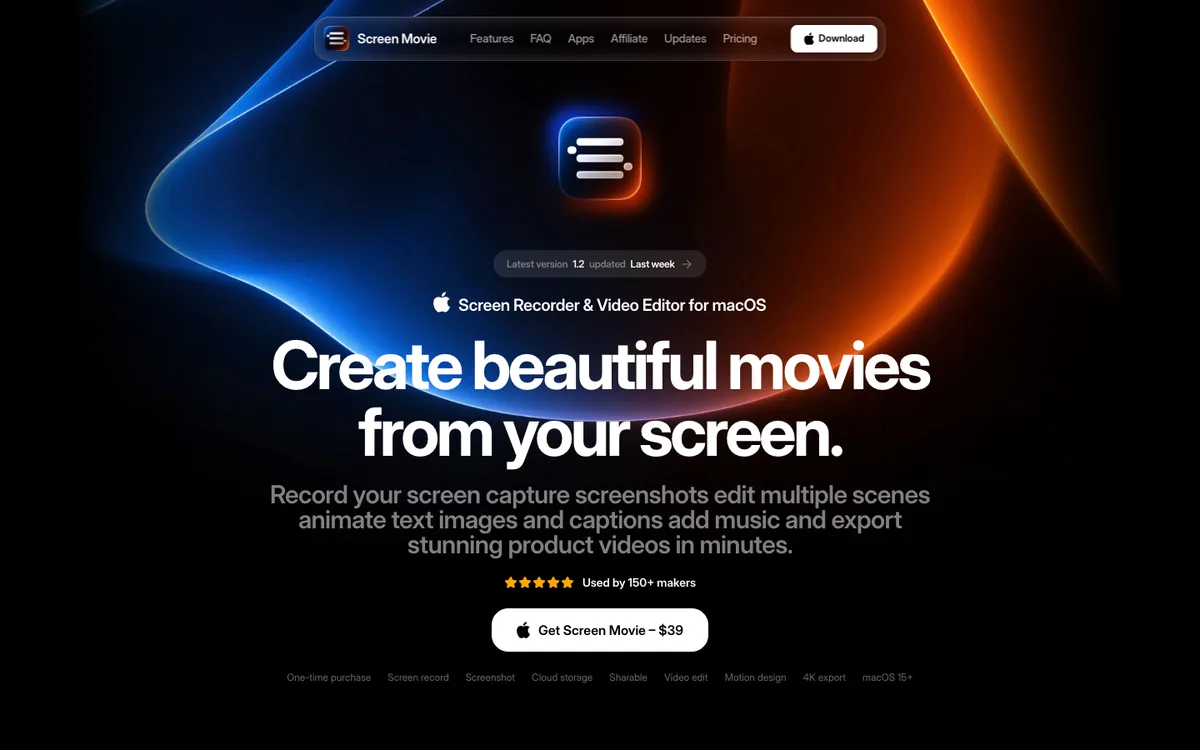
Price: $39 once as a limited early-bird offer; the regular price is $79. It's licensed per device, with a 14-day money-back guarantee and lifetime updates.
Where it falls short: macOS 15 or later only, and the $39 price is temporary. I compared the two $39 apps in detail in 240fps vs Screen Movie.
3. Cap: best open-source and cross-platform option
Cap is open source and runs on macOS, Windows and Linux. Its Studio Mode includes a full editor, and the free plan covers personal use with unlimited local recordings and share links up to five minutes.
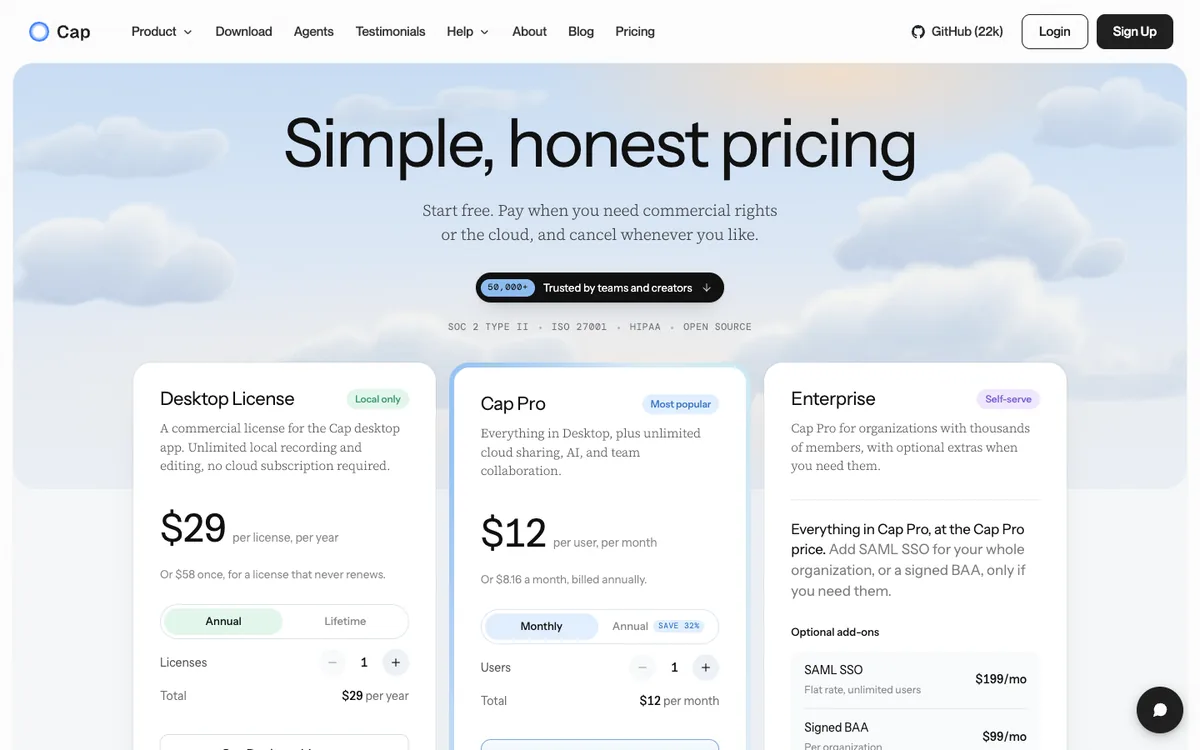
Price: commercial use needs the Desktop License, at $29 a year or $58 once. Cap Pro adds unlimited cloud sharing, AI titles and transcription, and team workspaces for $12 per user a month, or $8.16 billed yearly.
Where it falls short: the polish depends on how much editing you do, and the cloud features that make it feel like Loom are on Pro.
4. FocuSee: best if you also record on Windows
FocuSee, from iMobie, records on Windows and Mac with automatic zooms and AI-assisted editing, and exports up to 4K at 60 fps.
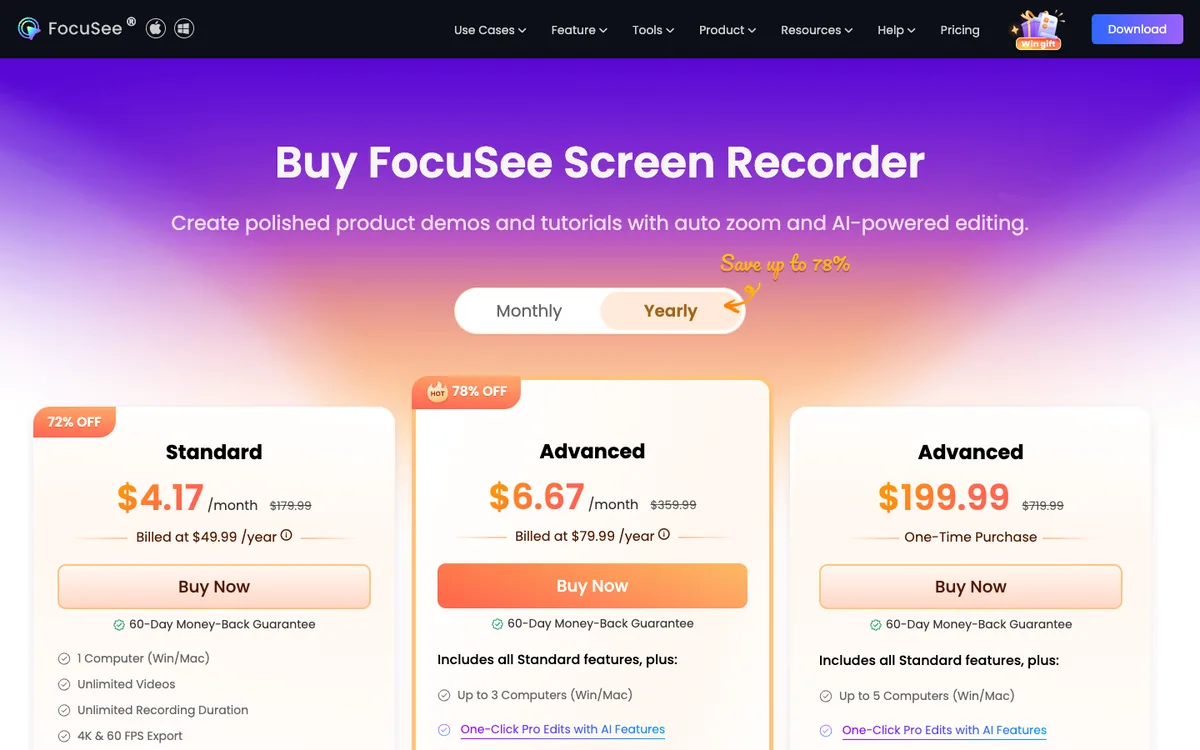
Price: Standard is $49.99 a year or $19.99 a month for one computer. Advanced is $79.99 a year for up to three computers, and a lifetime Advanced licence is $199.99.
Where it falls short: the yearly prices are shown as large discounts from list prices, so check the renewal price before you buy.
5. Loom: best for quick async messages, not polished demos
Loom is built for sending a quick video to a colleague or customer. The free Starter plan includes 25 videos of up to five minutes, and Business costs $18 per user a month.
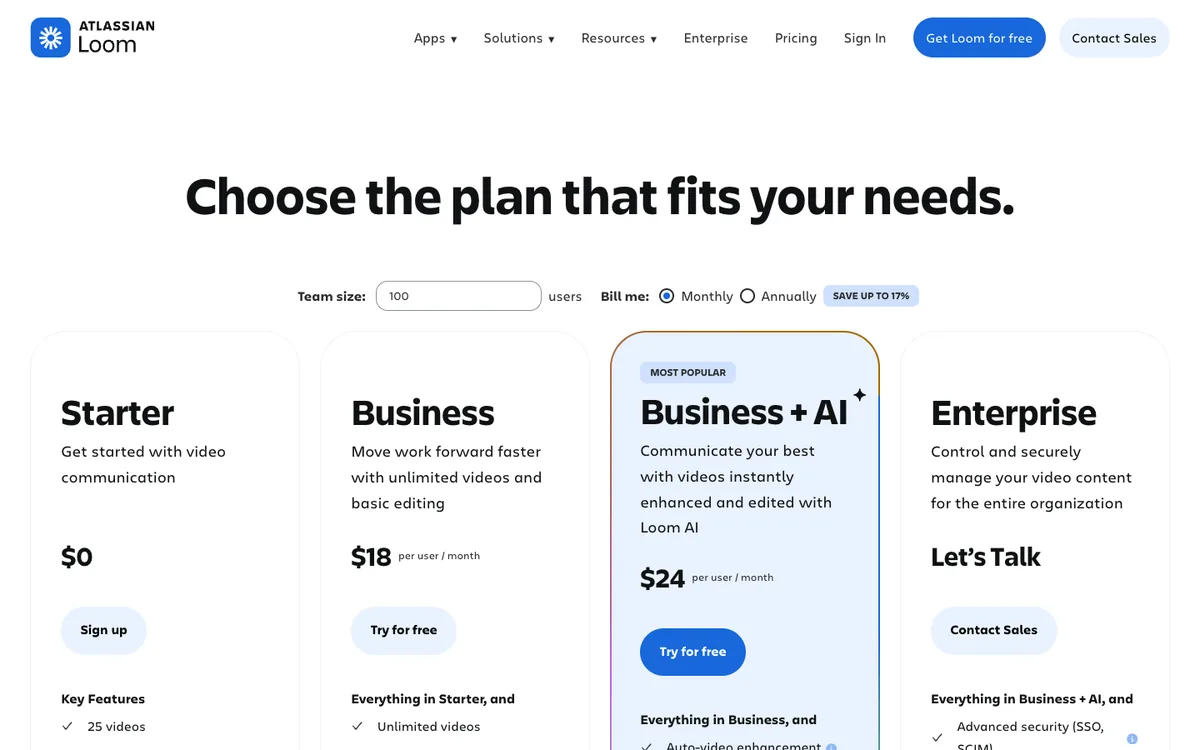
Where it falls short: its pricing page doesn't list automatic zooms on clicks, which is the main thing people want from Screen Studio. Use it for messages and walkthroughs, not launch videos.
How do I choose the right Screen Studio alternative?
Start from what you're trying to fix.
- You want to stop paying monthly: 240fps for Mac or Screen Movie, both $39 once.
- You need Windows or Linux: Cap, or FocuSee for Windows and Mac.
- You want the lowest price for commercial use: Cap's Desktop License at $29 a year.
- You need share links with comments: Screen Movie, Cap Pro, or stay on Screen Studio.
- You also make mockups and App Store screenshots: 240fps, so one $39 purchase covers all three.
FAQs
What is the best free alternative to Screen Studio?
Cap is free for personal use, with unlimited local recordings and share links up to five minutes, and it's open source. Commercial use needs its $29-a-year Desktop License. 240fps is free to design in the browser; exports and the Mac recorder need a paid plan.
Is there a one-time-purchase alternative to Screen Studio?
Yes. 240fps for Mac costs $39 once, Screen Movie costs $39 once as an early-bird price (regular $79), and Cap's Desktop License is $58 once. Screen Studio no longer sells one-time licences to new buyers.
Does Screen Studio work on Windows?
No. Screen Studio's site says it only supports macOS and has no near-future plans for Windows. Cap and FocuSee both run on Windows.
Which Screen Studio alternative zooms on clicks automatically?
240fps for Mac, Screen Movie, Cap's Studio Mode and FocuSee all add automatic zooms. Loom's pricing page doesn't list the feature.
How much is Screen Studio per year?
$108 a year when billed yearly ($9 a month), or $348 a year if you pay $29 month to month, based on its site on 1 October 2026.
Last updated: 2 October 2026. Prices are from each product's own website on 1 October 2026 and can change; check before you buy.